
DOWNLOAD THE APP


Customer Services
Copyright © 2025 Desertcart Holdings Limited
DOWNLOAD THE APP
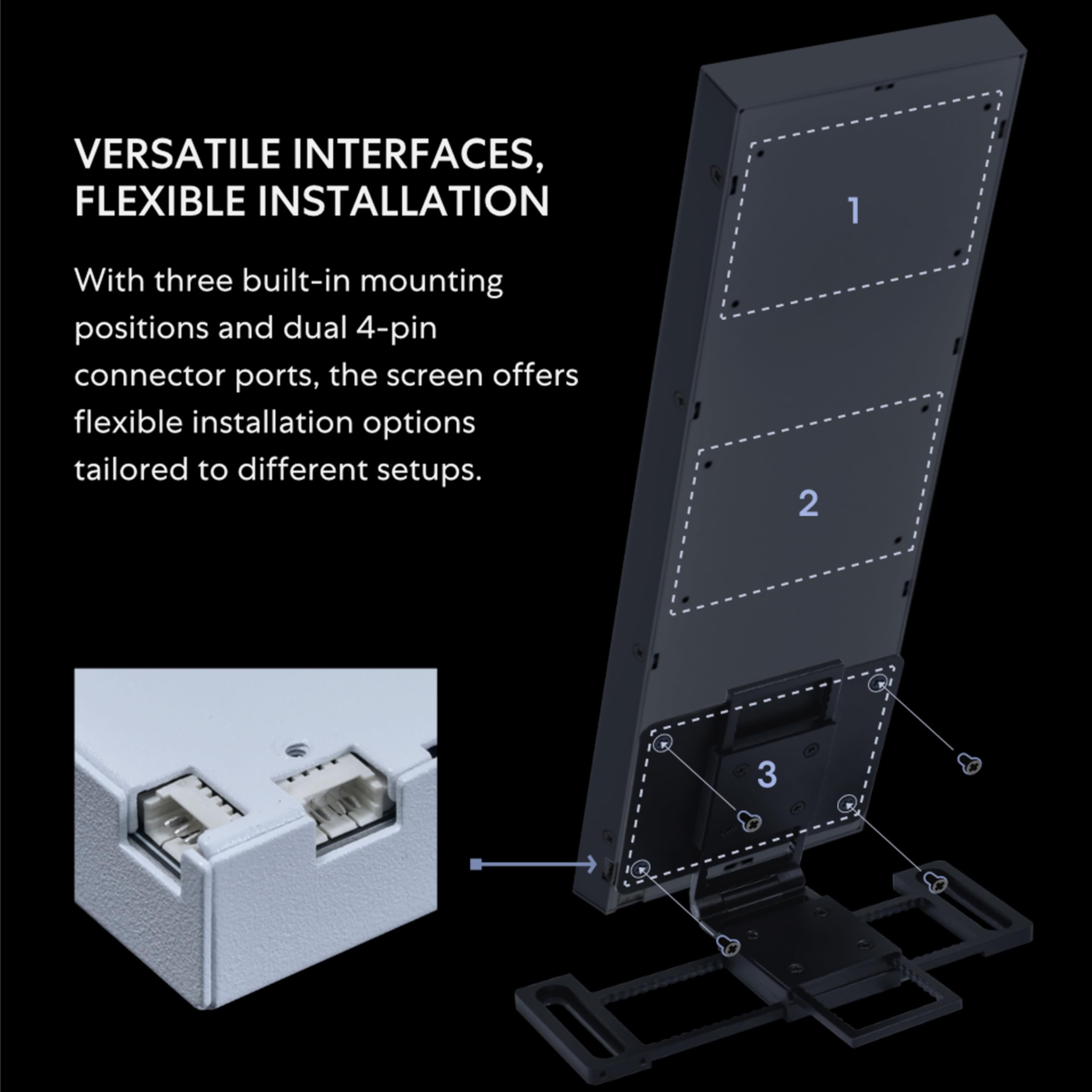
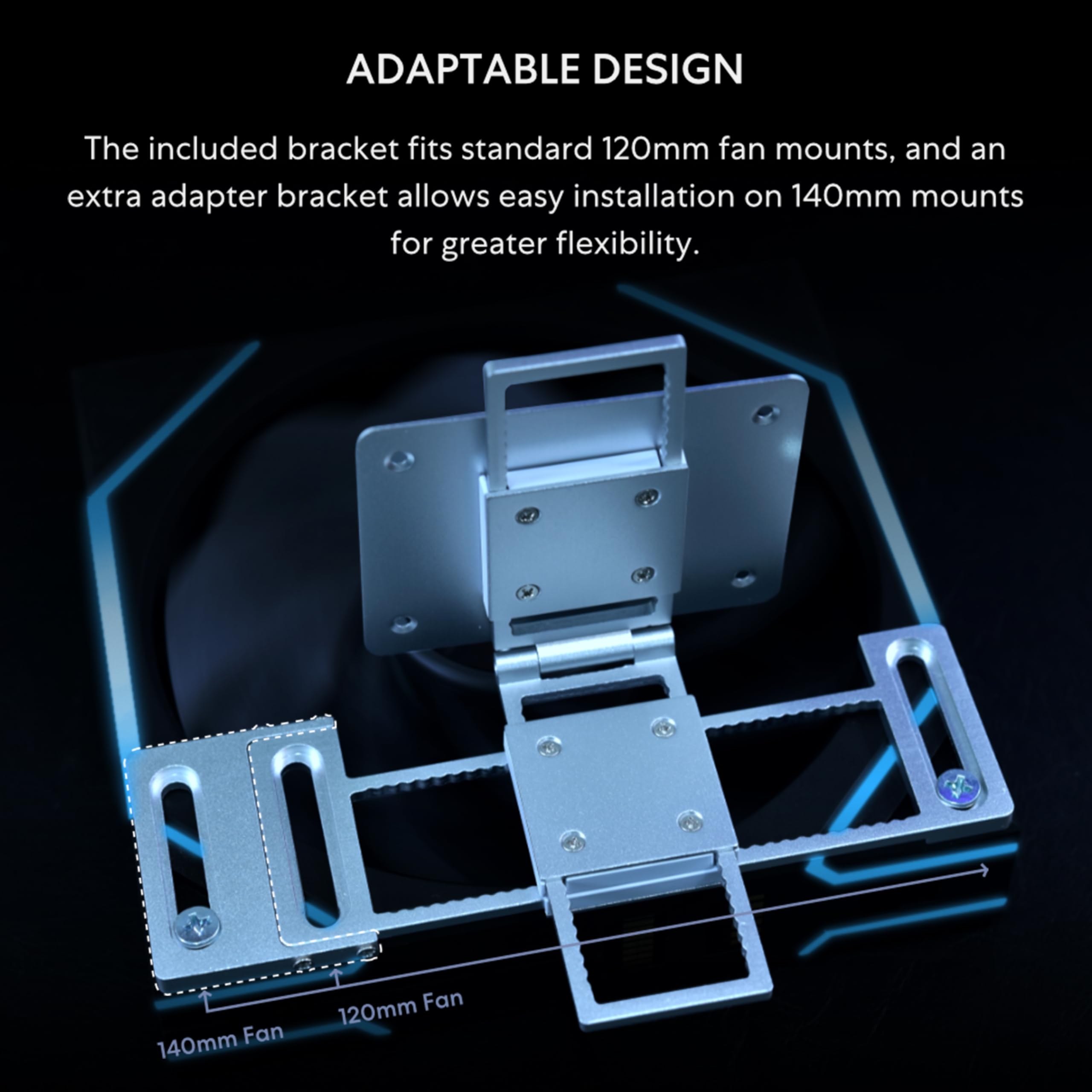
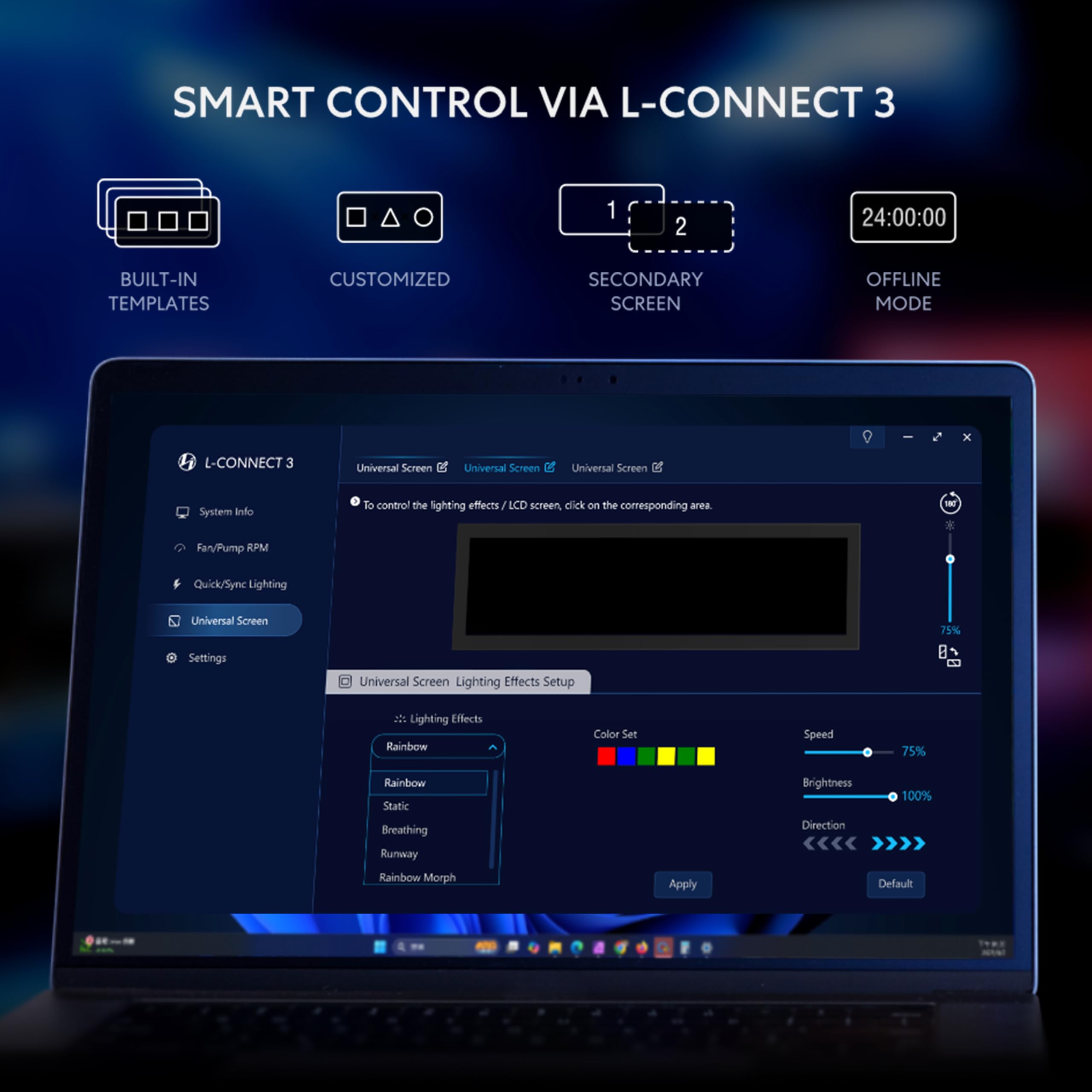
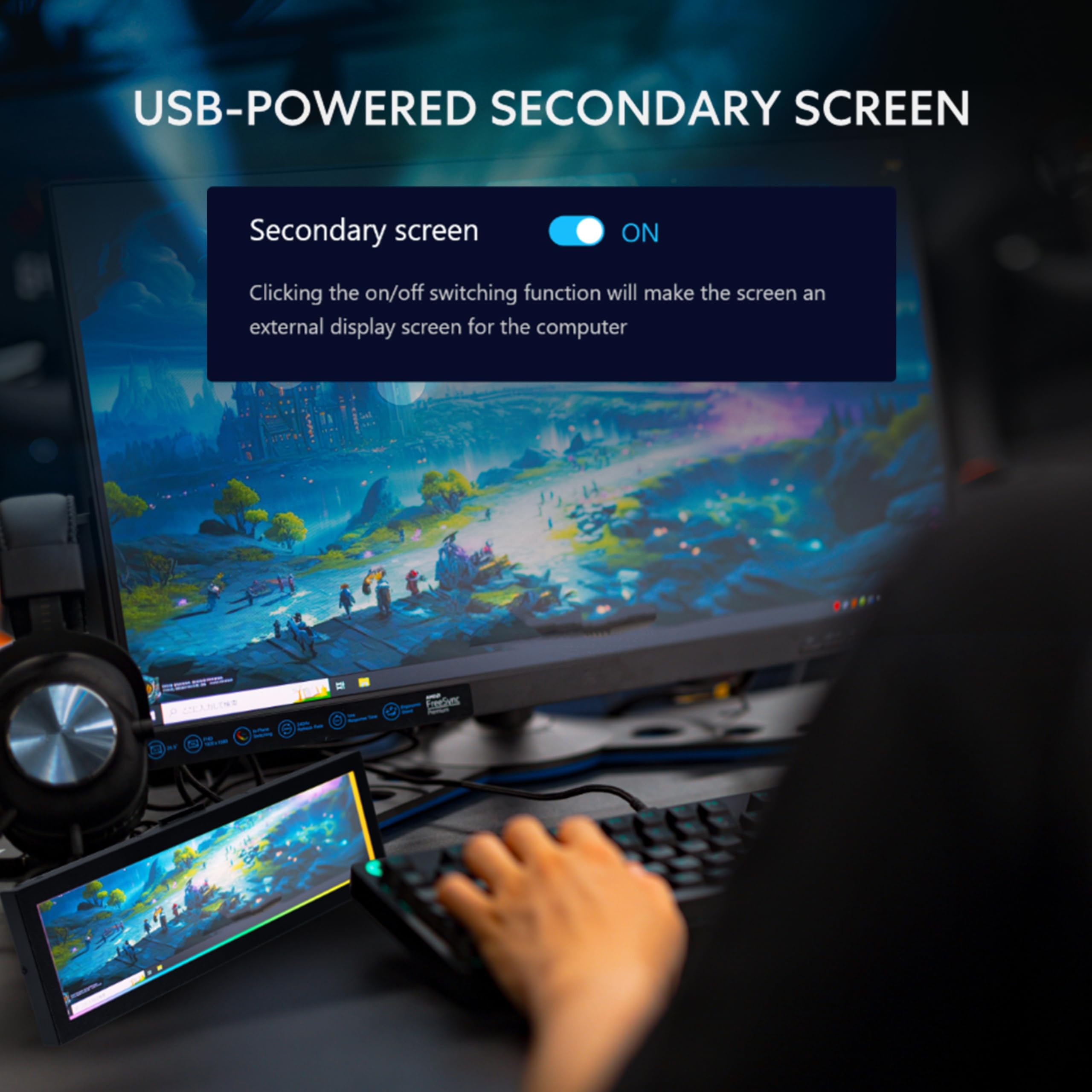
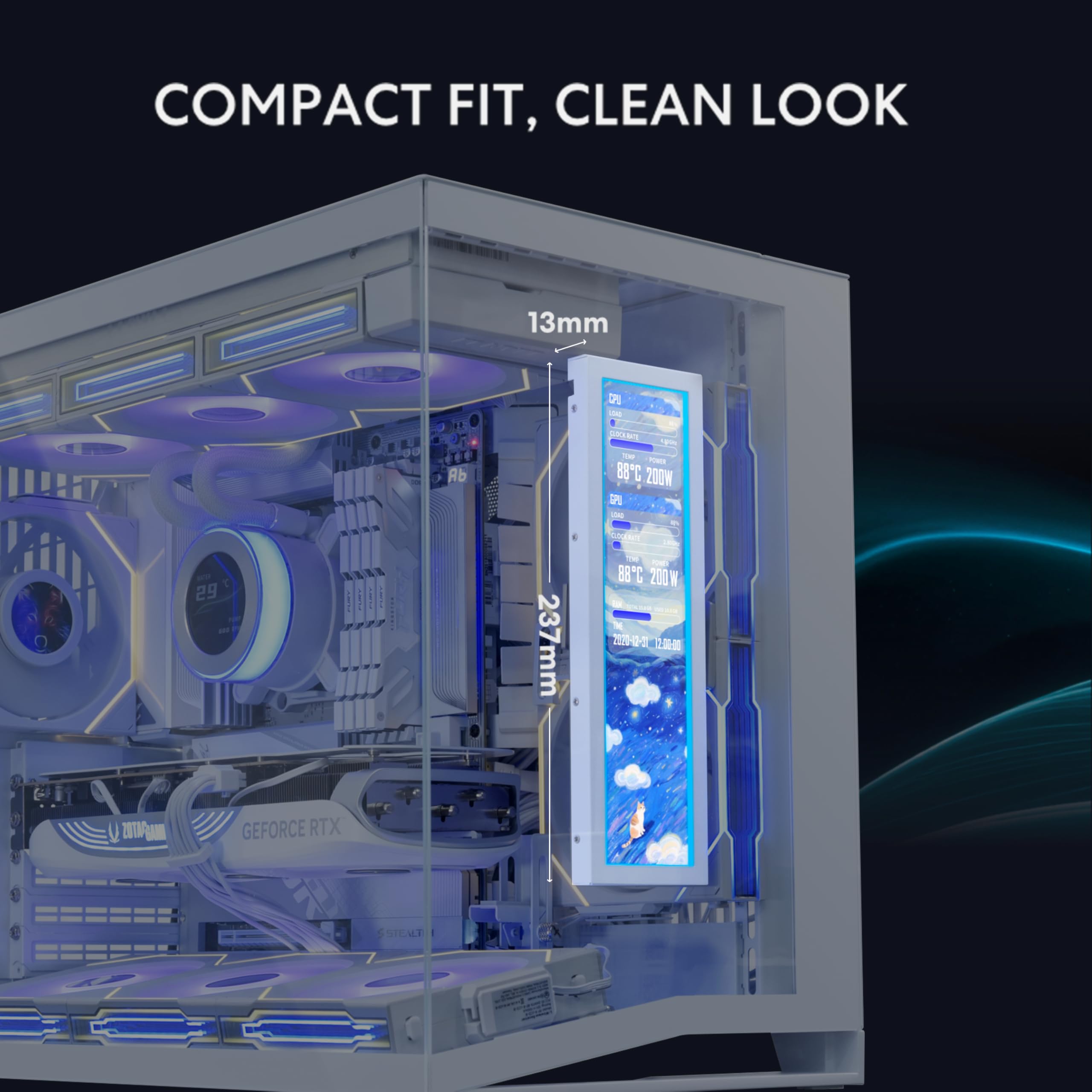
✨ Elevate your setup with the ultimate mini display — style, stats, and seamless sync! 🖥️
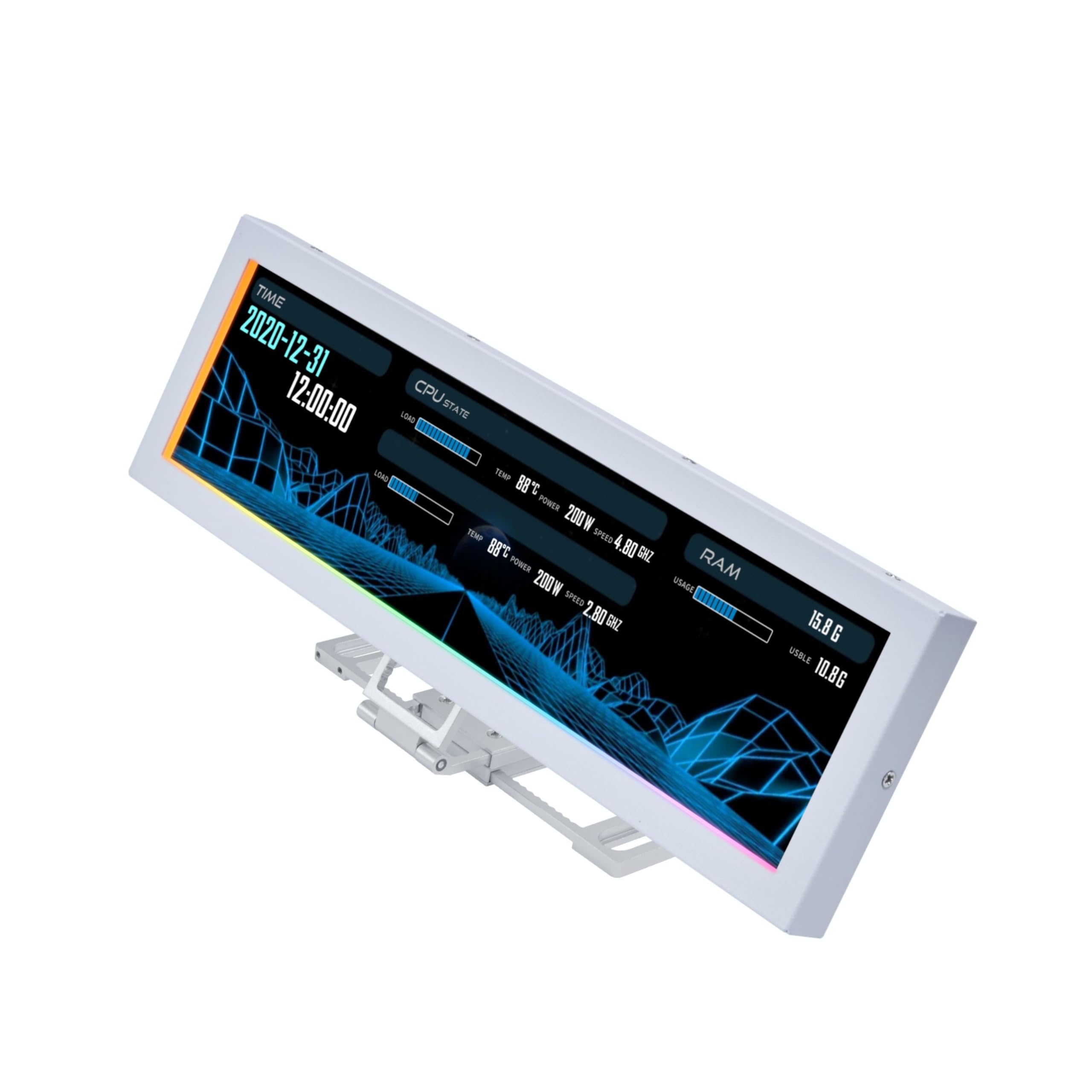
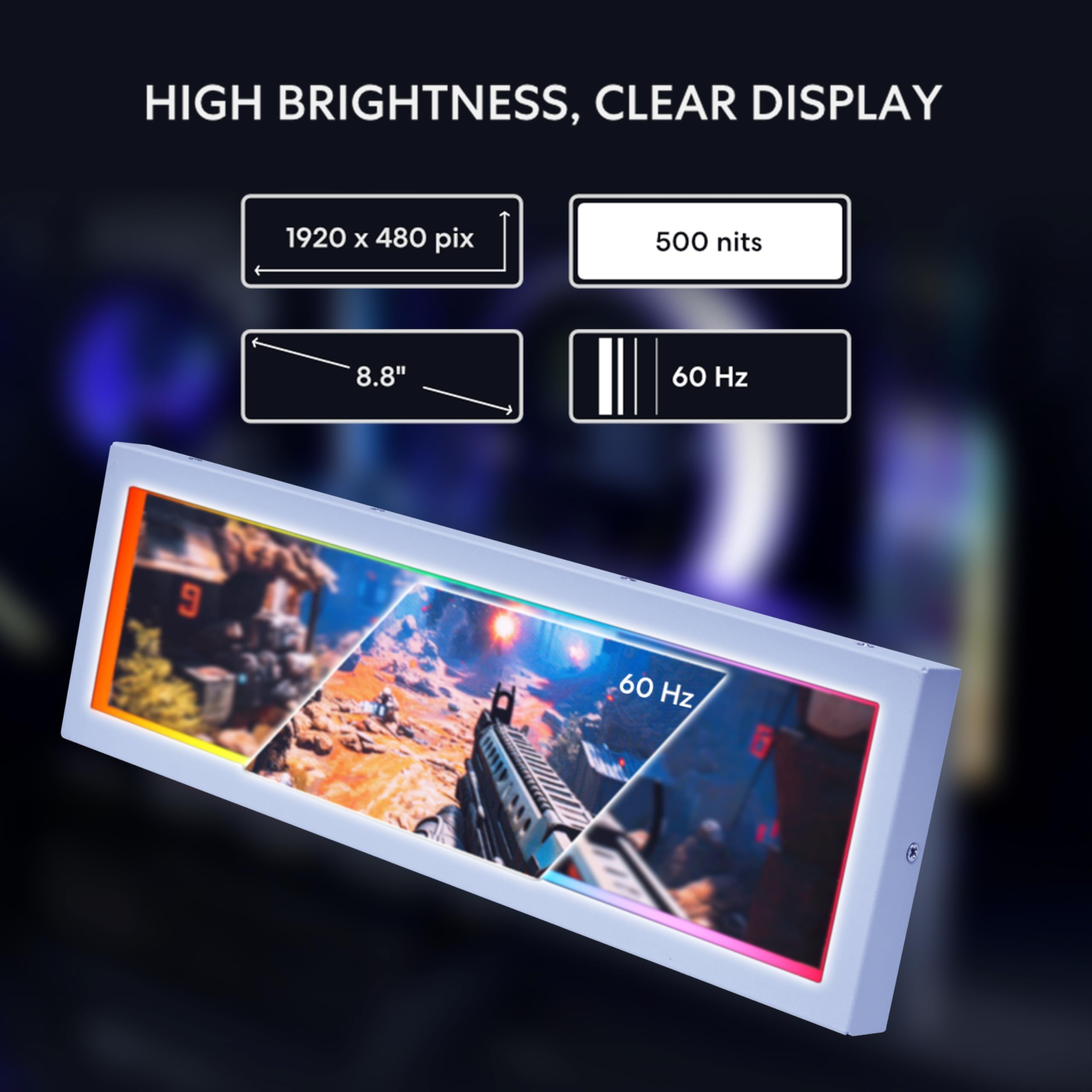
The Lian Li 8.8" Universal Screen is a compact, USB-powered secondary monitor featuring a 1920x480 IPS display at 60Hz and 500-nit brightness. It offers versatile mounting with adjustable height and tilt, a customizable diffused ARGB lighting frame, and real-time PC temperature monitoring via L-Connect 3 software. Designed for seamless integration into any PC build, it enhances both aesthetics and functionality for professionals and enthusiasts alike.


| ASIN | B0FKH57YQP |
| Adaptive Sync | FreeSync |
| Additional Features | Tilt Adjustment |
| Aspect Ratio | 16:9 |
| Best Sellers Rank | #1,637 in Electronics ( See Top 100 in Electronics ) #76 in Computer Monitors |
| Brand | Lian Li |
| Brightness | 500 candela_per_square_meter |
| Built-In Media | Accessories |
| Color | White |
| Compatible Devices | Desktop |
| Connectivity Technology | USB |
| Contrast Ratio | 2000:1 |
| Customer Reviews | 4.4 out of 5 stars 219 Reviews |
| Display Resolution Maximum | 1920 x 480 Pixels |
| Display Technology | IPS |
| Display Type | IPS |
| Hardware Connectivity | USB |
| Has Color Screen | Yes |
| Image Contrast Ratio | 2000:1 |
| Item Dimensions D x W x H | 0.51"D x 9.33"W x 2.87"H |
| Item Weight | 530 Grams |
| Manufacturer | LIAN LI |
| Model Name | SM088.W 28354246 |
| Model Number | SM088W |
| Native Resolution | 1980 x 480 Pixels |
| Picture Quality Enhancement Technology | IPS |
| Refresh Rate | 60 |
| Resolution | HD |
| Response Time | 60 Milliseconds |
| Screen Finish | Matte |
| Screen Size | 8.8 Inches |
| Screen Surface Description | Matte |
| Total USB 3.0 Ports | 1 |
| UPC | 840353051324 |
| Warranty Description | 1 Year |
| Warranty Type | 1 Year Manufacturer Warranty |
A**N
Great addition to any PC build
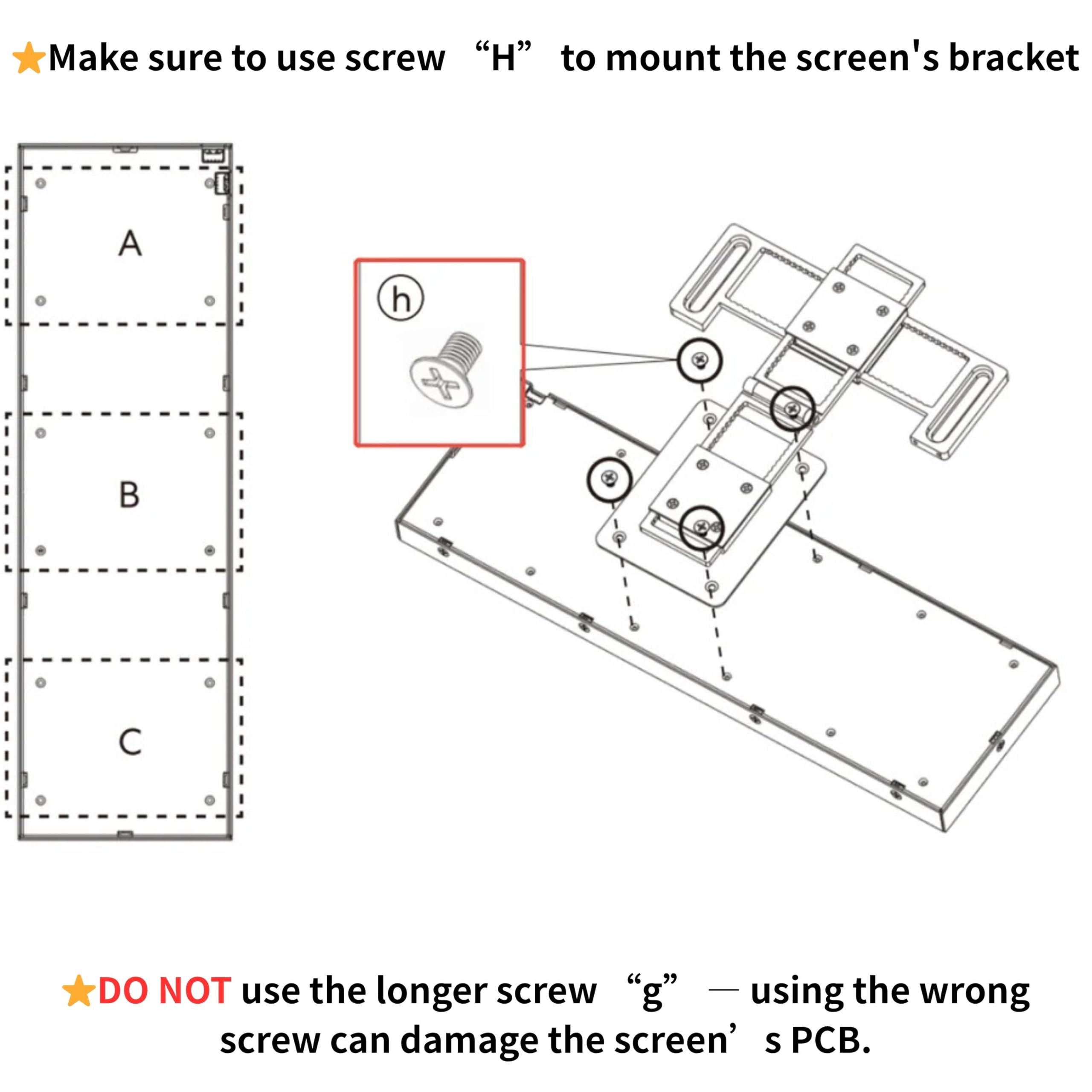
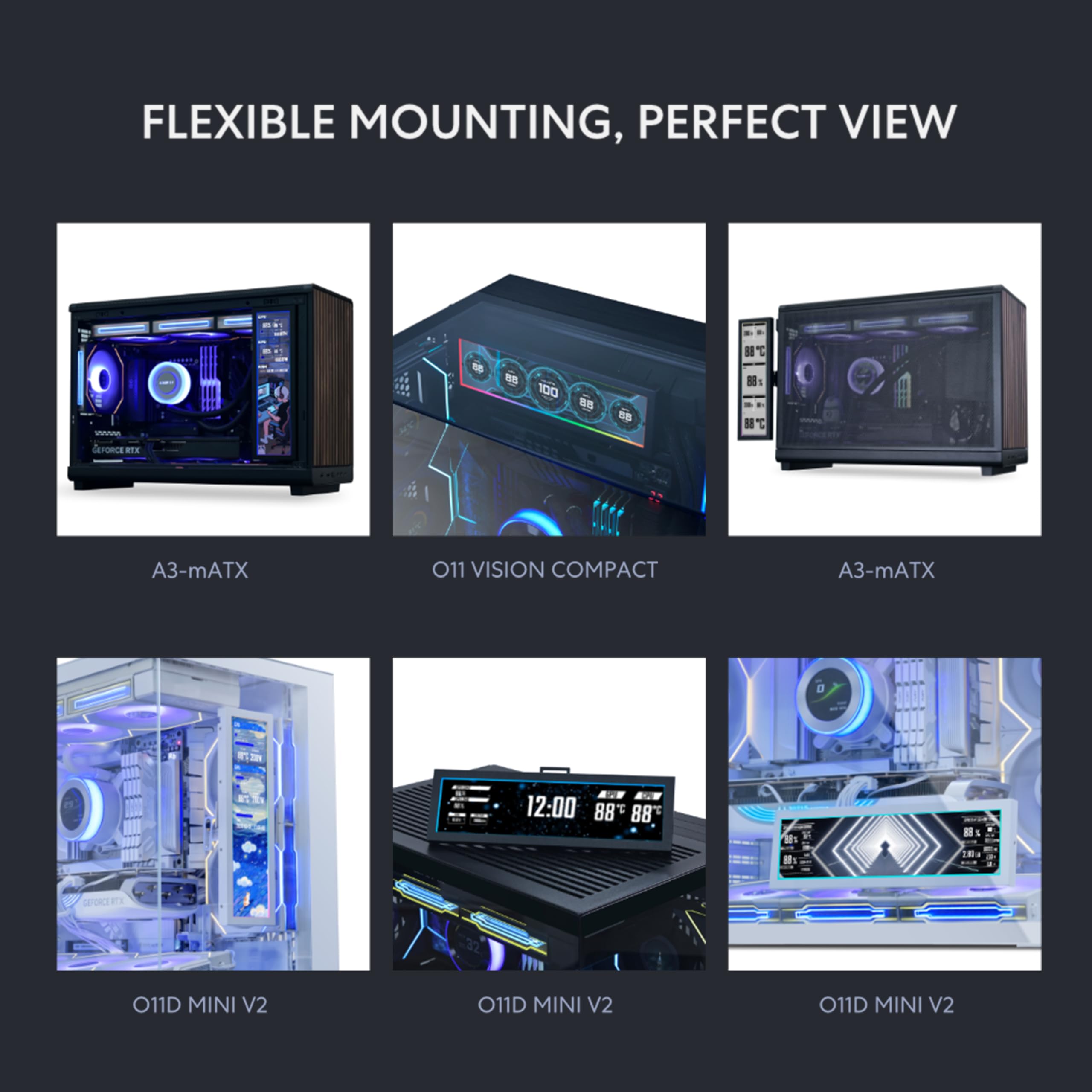
The Lian Li 8.8" display has been one of the most satisfying additions to my setup. The first thing that stands out is the versatility of the mounting system. You get multiple options with the included mount, which makes it incredibly easy to place the screen exactly where it fits your build’s aesthetics and layout. Whether you want it on the outside of the case, behind the glass, mounted to a fan (how I mounted), or tucked into a custom spot, the flexibility is there. Installation is surprisingly simple. Lian Li clearly put thought into the hardware design, and it shows as everything feels solid, well‑made, and premium. The build quality is excellent, and the screen itself looks fantastic, with sharp visuals and great brightness for both system stats and custom loops, etc. The only real learning curve is the software. L‑Connect 3 works well, but it takes a little time to get used to the layout and customization options. Once you get the hang of it, though, the possibilities open up fast. Overall, this display is a great way to personalize your build while also giving you useful real‑time system data. If you enjoy both aesthetics and functionality, this little screen delivers on both fronts.
S**N
Best addition to my PC setup!!!!
This was easily the best, and easiest addition to my PC setup I’ve made. The screen is extremely bright, without being overwhelming. Because of the universal frame, this device can be mounted in any build, in any case, and in any orientation. It can even be used outside of the case as a standalone monitor. It uses USB for power by connecting to your motherboard. This is the only part that can be a little annoying. Most motherboards will only come with two USB headers. Because of this, if you have a lot of fans or RGB items, those can already all be used up on ur build. All I had to do was order the NZXT USB hub extender. It costed me $20, and I was able to plug in all my fans, AIO cooler screen, and the Universal Screen. Given the size, i can’t imagine it not fitting in any cases, unless they’re super small. Overall, very happy with the purchase. Installation probably took me 15 minutes. If you’re interested in purchasing, I highly recommend looking at your USB headers, and making sure you have one free. If you do not have any left, make sure to also place an order for a USB extender. Once installed customization is a breeze. The L-Connect app works seamlessly. The screen was picked up by the app instantly. The app UI is fantastic in my opinion. If you have other Lian-Li products like infinity fans, you can control them from the same app. Overall, I’m extremely happy. I would reccomend this to anyone who is interested. Gives any build a super “custom” vibe.
E**3
Great Software/Great Screen
I was a little hesitant because the reviews on this screen are pretty mixed, but after installing it myself, I’m genuinely glad I bought it. Installation was very easy and straightforward, even compared to other internal or auxiliary PC screens I’ve tried. One of the biggest positives for me is that it uses USB only, so it doesn’t eat up an HDMI or DisplayPort connection on your GPU. That alone makes it far more practical than a lot of competing screens. The software/app is solid, which is something I really appreciate. I’ve dealt with too many small PC screens that rely on sketchy, unfinished, or poorly translated software. This one feels polished and stable by comparison, and it just works without constant tweaking or crashes. Image quality looks great for its size, and it does exactly what I wanted it to do as a system display. Overall, this feels like a well-designed product that’s gotten a bit of an unfair review. If you’re on the fence because of the reviews, I’d say it’s absolutely worth it.
W**R
Great screen for performance stats. Mounting bracket could be beefier.
This is a great display for PC stats. It just needs one USB connector that is easily hidden away behind the screen. You can connect it to an internal USB port on the motherboard or use the adapter to connect it to a USB on the outside of the case if you are out of ports on the MoBo. For stats it is great, just run the Lian Li L-Connect 3 software, pick your style, and done! Super easy. However, while the mounting bracket is very versatile and adjustable, it's not strong enough to reliably hold the screen if you try to mount it horizontally from one of the ends. I wound up having to support it with some double sided foam tape. If you are going to position it horizontally, you are really limited to using the center mounting point. Here is a pic of it along with my other Lian Li fans and AIO in my build.
C**S
Super useful for front facing stats
Great little screen, and highly affordable relative to some other things (I paid $89). Since my new AI box is going on the floor (and turning all the RGB off), I wanted something front facing in the Lian Li 011 compact case, so I could keep eye on temps at a glance from front vs inside the case above mobo, which is more common. Worked great; love that it worked with the Lian Li software I already had for the intake and exhaust fans. One of the default readouts was exactly what I wanted. Only trick was the bracket to connect to my AIO fans was not super supportive, but I added command strip velcro style to bottom fans assembly to keep it more "in place." I'd take a half star off for the bracket support the way I used it, but super happy with the end result -- esp with 9800x3d paired with rtx5090!
C**R
Pretty easy to install
Looks great and feels great the screen is pretty big super easy to install and use with the Lian li software and loads of customization for the screen
D**3
High-Quality Display, Poor Compatibility — Feels Prematurely Released
The display itself is excellent in terms of visual quality and size, and the physical installation was straightforward and flexible. Unfortunately, the overall functionality is severely undermined by poor system compatibility. Despite updating all relevant drivers and firmware and performing extensive BIOS tuning, I was never able to achieve a stable configuration with my system. The device caused repeated conflicts on the internal USB header, triggered driver-level instability, and ultimately led to a complete GPU driver crash that required a full reinstallation. It was never reliably compatible with my Windows 11 system running an Intel 14900K on a Z790 motherboard. The L-Connect software and the device firmware feel like an early beta release and require significant refinement before being market-ready. Given Lian Li’s reputation, I expected a polished, plug-and-play accessory. Instead, this product introduced substantial system instability. This is a visually impressive screen that could be an excellent product, but without more mature software and firmware to ensure stability and compatibility, it is not ready for widespread use.
W**Y
Great Screen from Lian Li
Software is a bit of a nightmare, but you can make into a windows screen with USB, but with the build quality being amazing and and the screen too, I give it a 5 star at this price, Very easy to install
Trustpilot
1 month ago
2 months ago