
DOWNLOAD THE APP


Customer Services
Copyright © 2025 Desertcart Holdings Limited
DOWNLOAD THE APP

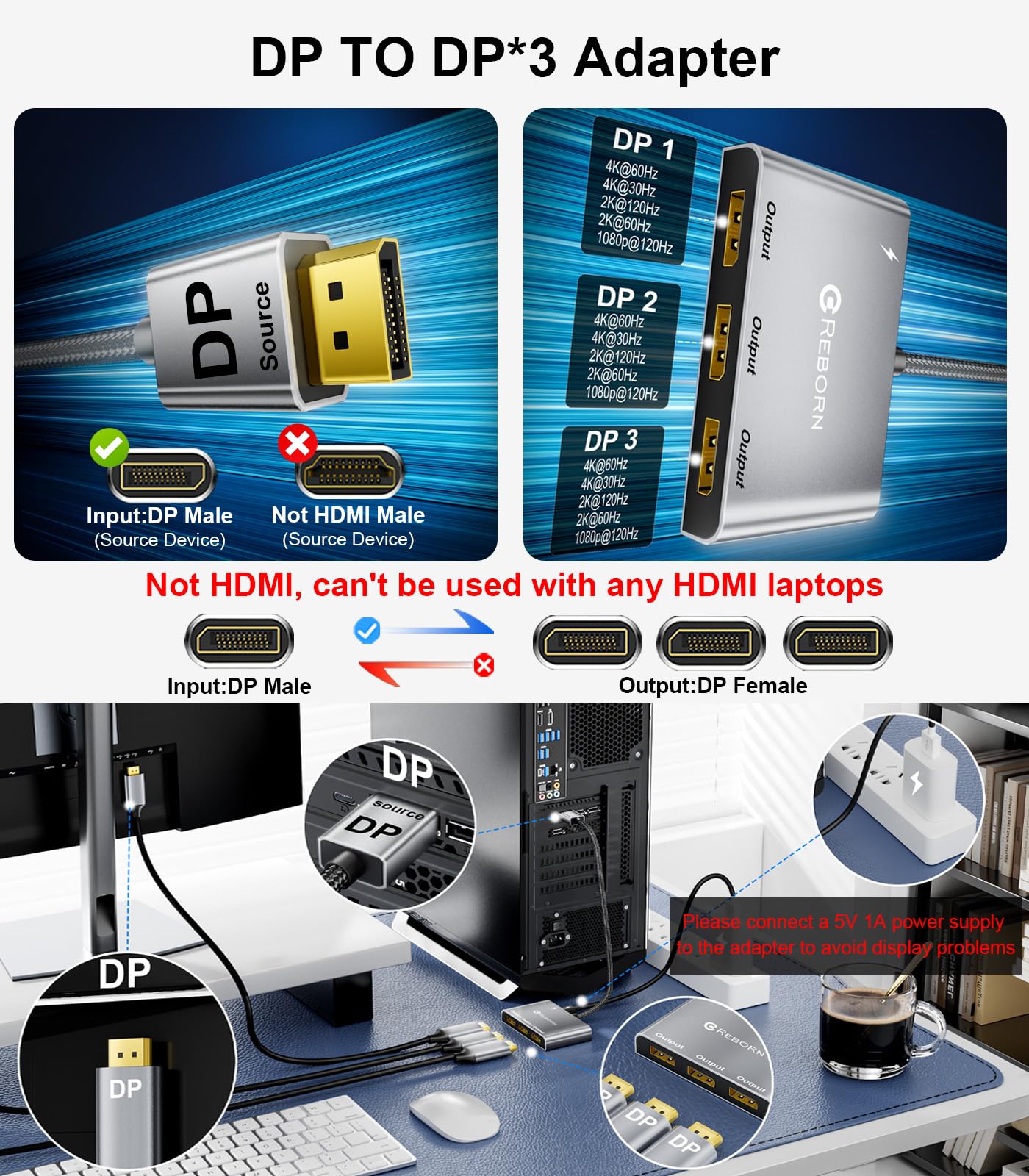
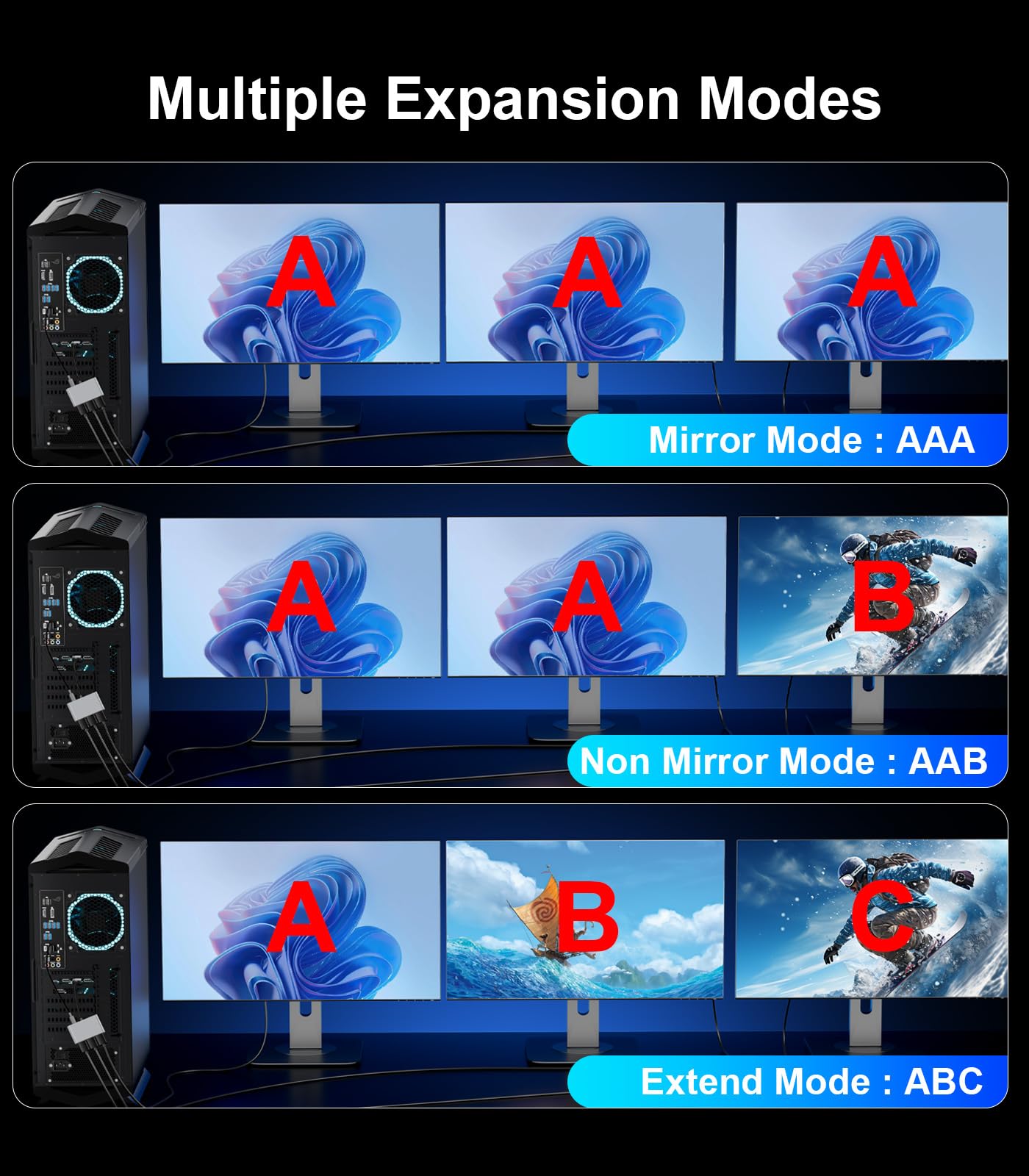
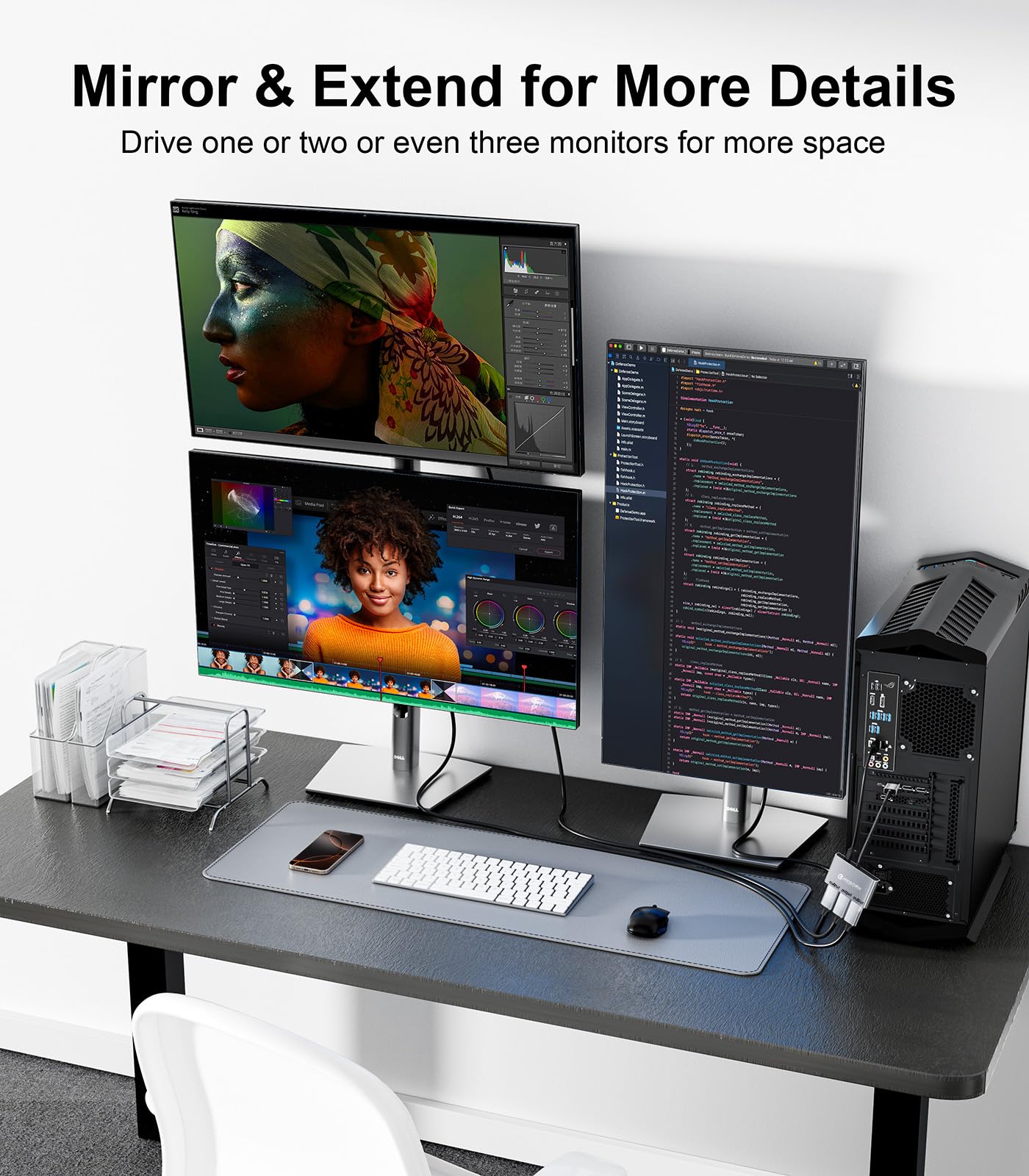
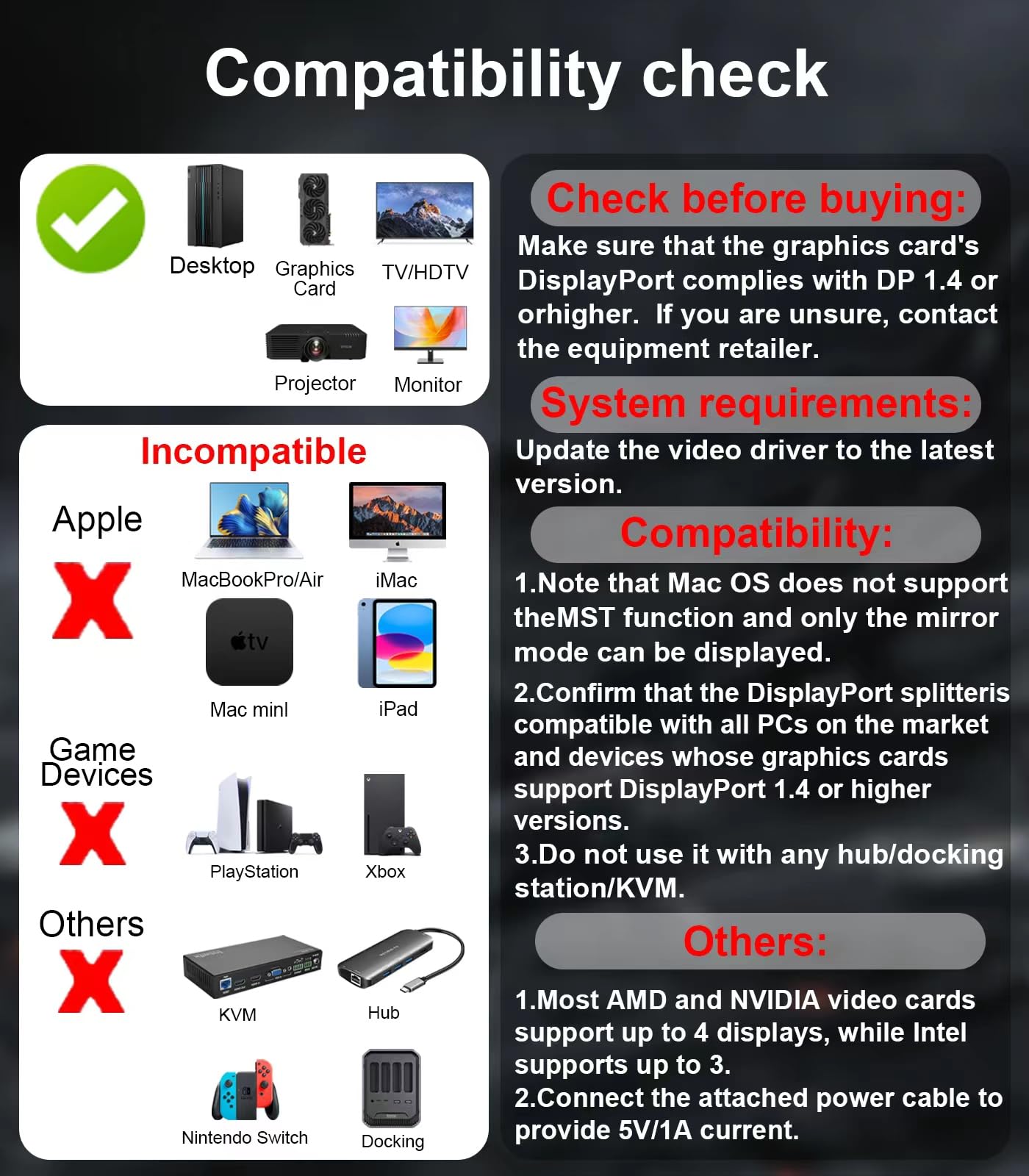
🚀 Triple your screen, triple your productivity!
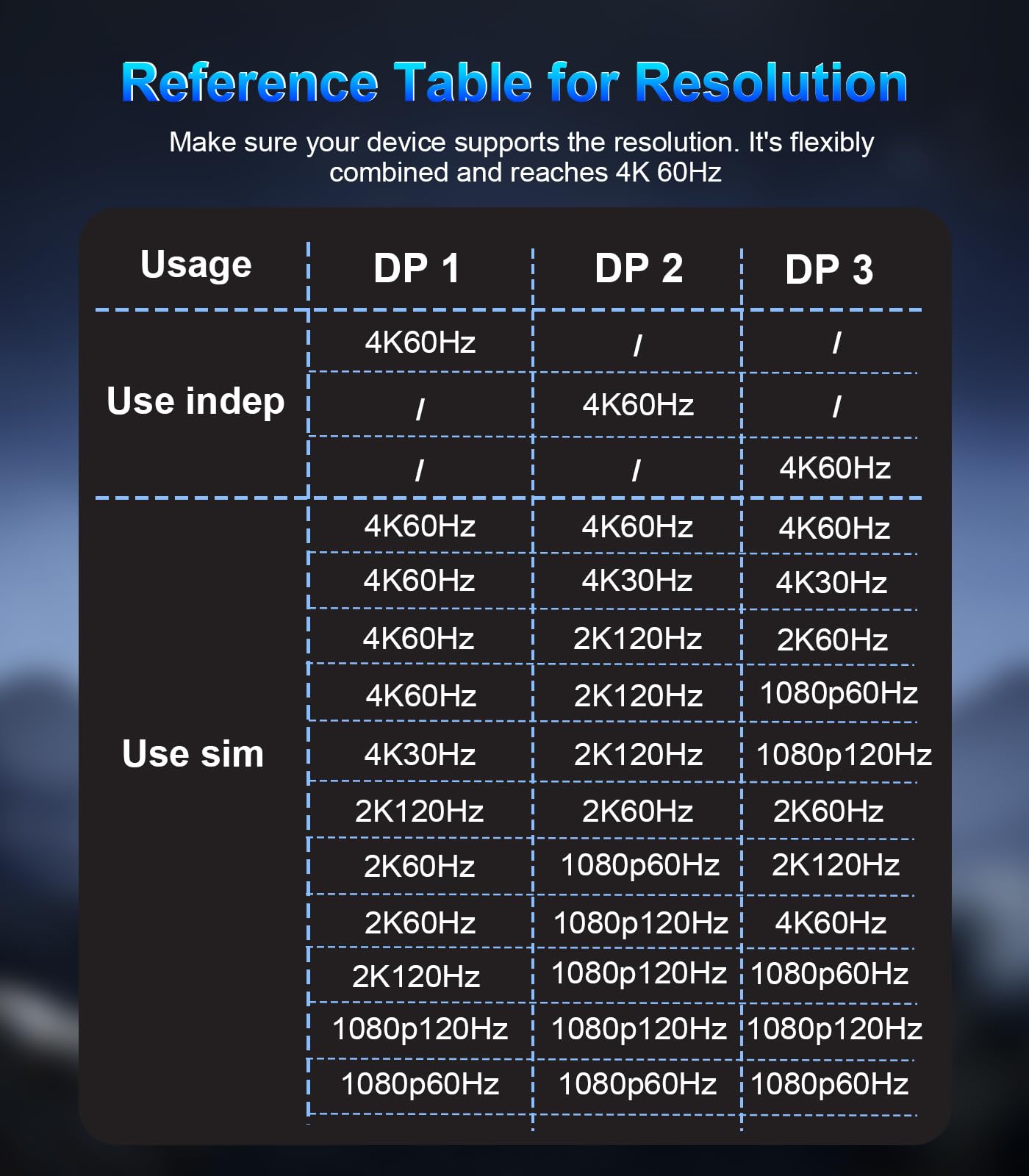
The Reborn DisplayPort Splitter is a compact, high-performance MST hub that converts one DisplayPort input into three outputs, supporting up to 4K UHD resolution at 60Hz. Designed for professionals and gamers alike, it features plug-and-play ease, premium materials for stable signal transmission, and compatibility with major graphics cards, enabling efficient multi-monitor setups without compromising visual quality.


| ASIN | B0DK4HK4SS |
| Best Sellers Rank | #171,776 in Electronics ( See Top 100 in Electronics ) #431 in Satellite TV Splitters #790 in Satellite Television Products |
| Customer Reviews | 4.0 4.0 out of 5 stars (50) |
| Date First Available | October 16, 2024 |
| Item Weight | 4.6 ounces |
| Item model number | Reborn DP to 3DP Adapter 4K@60Hz |
| Manufacturer | Reborn |
| Package Dimensions | 5.71 x 3.94 x 0.83 inches |
T**E
BEST PUCHASE YET... ok, one of the best
Added another monitor and needed an adapter that could support the new monitor in addition to the existing two. No need to be concerned about connectivity or display issues, as it works as desired. Very satisfied, and will purchase again.
A**A
Works. Mostly. Would not recommend for mission-critical real-time applications.
Works fine when it works, but sometimes both screens go black for 15-20 seconds at a time. Occasionally several times an hour. Depending on what I'm doing, this can be kind of a nuisance. update: They made it good. I revised my review.
G**E
Does not support 3 screens for Windows 10
Mine would not give full display to monitor 1 and screen 2 shakes very bad. If I removed one of the two cables the two monitors would work just fine Just has an issue when connecting a third. Since I bought it to drive three monitors at 4K with no issues this was upsetting..
R**L
It hooked up all three monitors, exactly the way I expected
Absolutely fantastic. Works perfectly
D**D
Works very well when used per instructions; 12" input cable is a very limiting factor though
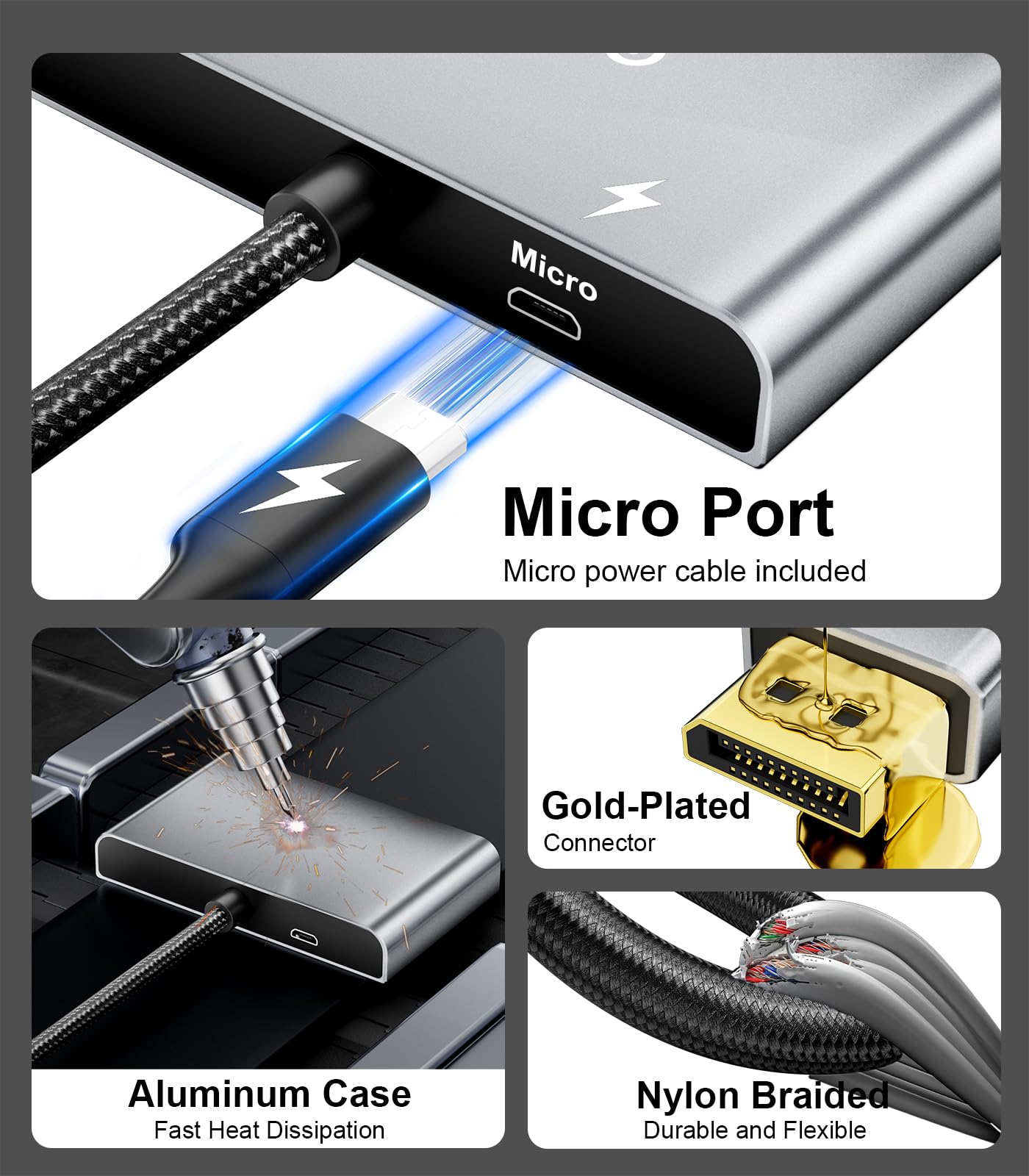
This DisplayPort splitter is designed to run up to three monitors off of one DisplayPort output. A Micro-USB port is used to power the device, and a 30 inch USB-A to Micro USB cable is included with the adapter. The splitter has one hard-wired DisplayPort cable "tail" that is plugged into the source device. This permanently-attached cable is 12 inches long. I would have preferred to have a DisplayPort input jack on the splitter instead of a hardwired cable, as that would allow for much more flexibility. I tested this splitter on a Dell OptiPlex 5070 Desktop that has an on-board Intel UHD Graphics 630 video adapter. As there were no instructions included with the splitter, I went by the write-up on the Amazon product page which says that this adapter should not be used with a docking station, KVM, or hub. I plugged the splitter into one of the computer's DisplayPort's, then I connected two 32 inch Samsung monitors and a 24 inch Dell monitor to the splitter. I had to source three DisplayPort cables, as there are none included with this splitter. The quality of the user-supplied cables could impact performance; I used three six-foot-long DisplayPort cables from Dell. After connecting the Display Splitter to USB power, I plugged in all 3 monitors and they were all up and running immediately at 60Hz; the two larger ones ran at 2560 x 1440 resolution, and the smaller 24" monitor ran at 1920 x 1080 resolution. Honestly, I wasn't sure what to expect when trying to run 3 monitors in extended mode using a lower end integrated graphics adapter on a business workstation, but I will say I'm impressed. The Reborn DisplayPort Splitter did a really nice job and ran all monitors at 60 Hz. I was afraid the refresh rate might be reduced when using the splitter, but that wasn't the case. I wanted to see how switching over to my laptop impacted the functionality of the Reborn Splitter, but my laptop doesn't have a DisplayPort output, just HDMI. I picked up a HDMI to DisplayPort adapter from Amazon and connected the Reborn splitter to that. I could not use "extended" mode on the monitors connected to the Reborn splitter when the HDMI to DisplayPort adapter was used; both monitors connected to the Reborn splitter displayed the same thing. This is a limitation of the HDMI to DisplayPort conversion, and not a limitation of the Reborn Splitter. The Reborn adapter works just as is should when plugged directly into a DisplayPort on a computer, but using anything in between the Reborn Splitter and the computer's DisplayPort isn't a good idea. Reborn states that on the product page as well: "Don't use it with any hub/docking station/KVM that may lead to compatibility issues." Make sure you heed this advice! Overall, this splitter works very well when used according to Reborn's instructions. I would have liked to see some sort of instruction pamphlet in the box, or at least a card with a web link to instructions. The 12" tail is a limiting factor which could be difficult if your computer resides on the floor away from your monitors. For these two reasons, I'm giving this 4 out of 5 stars. Performance-wise though, this product works very well.
M**M
Looks nice but does not pass thru 4K to two monitors, I expect it would be worse at 3 monitors.
Mine would not pass thru 4k, only 1080p quality. I used brand new 8K certified cables but no luck. If I removed one of the two cables to two monitors I was using the resulting speed went up and the speed went from 30Hz to 60Hz. Since I bought it to drive two monitors at 4K this was disappointing.
J**K
Satisfied.
Satisfied.
W**N
Plug and play
Plug and play
A**R
Buyer beware. Does not work properly with 2 or 3 devices. Tried running 2 22" monitors and it disconnects after 30 seconds.
Trustpilot
2 weeks ago
2 weeks ago