
DOWNLOAD THE APP


Customer Services
Copyright © 2025 Desertcart Holdings Limited
DOWNLOAD THE APP

🚀 Elevate your workspace: Power, speed, and seamless control in one sleek dock!
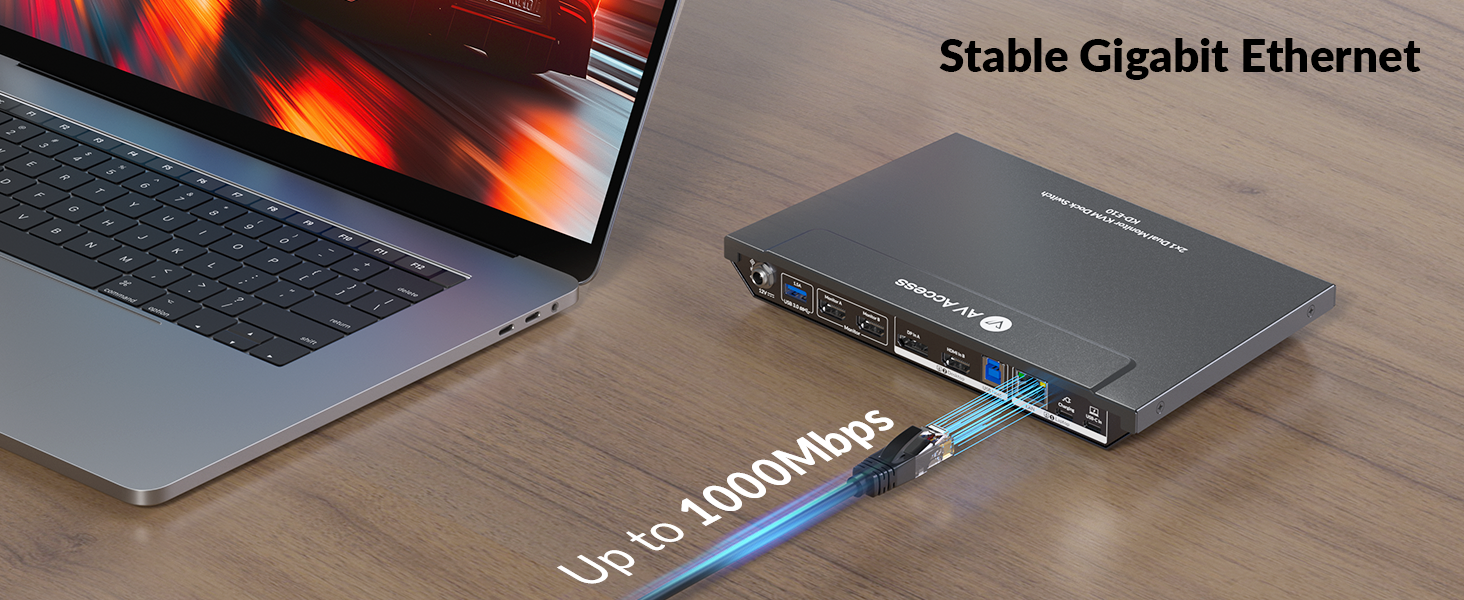
The AV Access Docking Station KD-E10-UK is a professional-grade 11-in-1 KVM switch designed for dual-computer setups. It supports 4K@60Hz dual HDMI monitors, delivers 100W USB-C charging, and features a 1G Ethernet port for stable wired networking. With fast device switching, multiple USB ports, SD card slot, and advanced EDID emulation, it streamlines multitasking for managers and professionals seeking a clutter-free, high-performance workstation.





| ASIN | B0DBQDW5MY |
| Batteries Required? | No |
| Batteries included? | No |
| Best Sellers Rank | 19,721 in Computers & Accessories ( See Top 100 in Computers & Accessories ) 58 in KVM Switches |
| Colour | For 1Laptop 1Desktop |
| Customer Reviews | 4.2 4.2 out of 5 stars (31) |
| Date First Available | 5 Oct. 2024 |
| Included components | KVM Switch Dock, Power Adapter, Cables |
| Item Weight | 1.61 kg |
| Item model number | KD-E10-UK |
| Manufacturer | AV Access |
| Part number | KD-E10-UK |
| Product Dimensions | 23 x 14.2 x 2.6 cm; 1.61 kg |
| Switch Type | 2-way |
| Wattage | 100 watts |
C**N
It actually works!
I spent a lot of time researching KVMs to find the right one. I have 2 monitors, a PC and a laptop. Laptop is for work and PC is for fun. I finally decided to buy this KVM and I'm so happy I did! It took some time to set up, especially making sure video input/outputs were correct and this was my first time doing anything like this. But after initial set up, I was able to really enjoy and appreciate the piece of hardware that this is! It switches from laptop to PC no problem, sometimes it cuts out on one monitor, but is solved by simply switching the KVM off and back on again after a few seconds. It's made my work flow and life so much simpler and easier! It has plenty of USB ports for keyboard, mouse, camera, speakers etc and so far has been a very reliable piece of equipment. Well worth the money. Just take your time understanding the set up of it and it should be relatively easy to set up. Really happy with this purchase!
R**M
Great KVM switch but couple issues
The device functions as expected. Included are USB-C, HDMI, DisplayPort, and power cables. However, two additional HDMI cables and a USB-C to AC adapter are required for simultaneous laptop charging during KVM operation. Successfully tested with a gaming PC and a work HP laptop with Thunderbolt support. Switching between devices is rapid, with no noticeable input lag for the connected webcam, keyboard, mouse, and earphones. A HyperX Fury microphone exhibited poor audio quality when connected to the work laptop via the KVM (functioning correctly with the gaming PC), necessitating a dedicated lightweight headset for the laptop, through the KVM. The earphones connected to the KVM occasionally produce a faint, intermittent noise, though this is generally imperceptible during gaming or audio playback. KVM Switch is slim but wider than other switches. The Seller states that the windows won't collapse onto one window during use but I've found turning the KVM off and on does relocate windows on my laptop to one screen which can be annoying but not a major issue I guess.
H**L
Works very well, good customer care support.
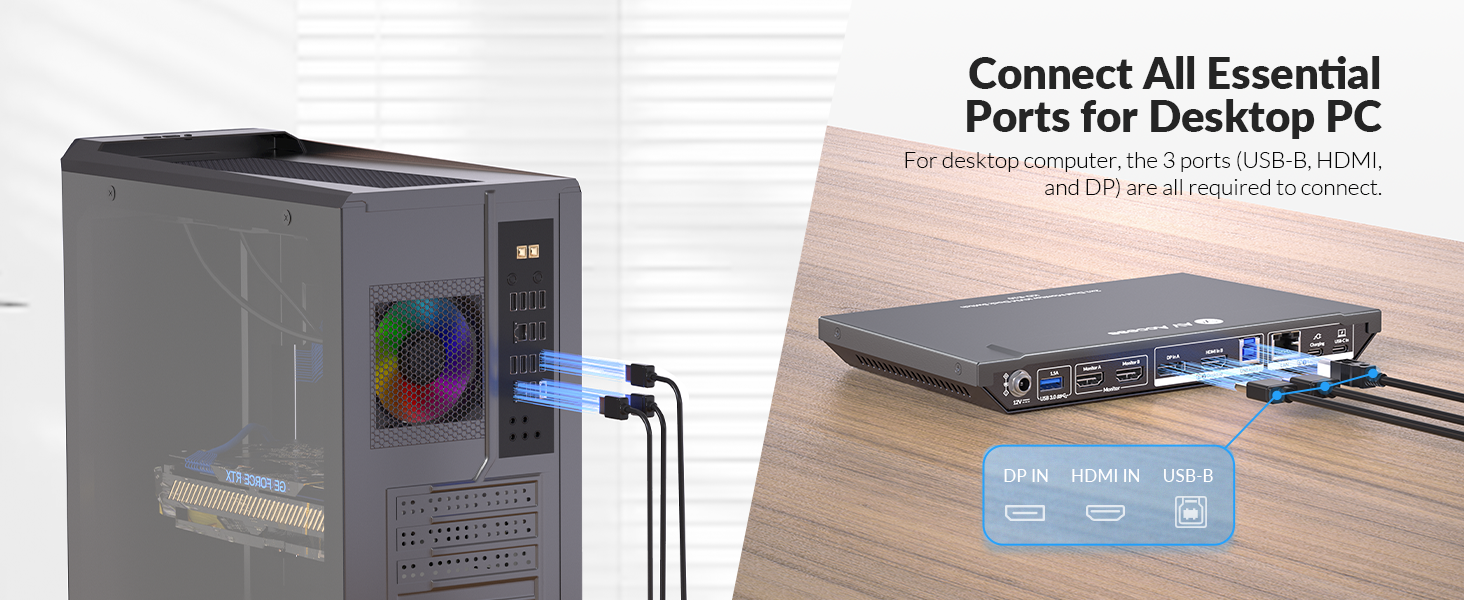
It works very well. I am switching between my PC and Laptop easily. They are performing well and no effect on graphics or speed. I had an issue getting both screens to work, I have contacted customer care. Kevin replied very quick to my queries and guided me on how to get it work. I needed to connect hdmi and dp cables for the PC.
J**N
Great Product, Solved my Dual PC/Laptop Issue
I spent a while doing some research before finding this docking station. I was looking for a dock that allows easy switching between my gaming PC and my work laptop. I was getting annoyed unplugging the peripherals and screen cables each time I wanted to switch devices. This dock solved that issue along with allowing 144hz for 1440p gaming and easy switching using the button on the device itself. I do wish I was able to use even higher refresh rate to fully maximise my monitors specs. I spoke to Johnny from the AV Access website who was able to recommend me this product as part of the product line up so thank you Johnny. Set up was easy, I just plugged my existing cables into the dock along with the provided USB C cable for my laptop and the dock's power cable. I have been using this product for many months now and I have had no technical issues with the product too which helps me day-to-day between gaming and work. The SD card slot is particularly useful as not many laptops and PCs have them these days. I have also recommended this product to members of my team where some are looking to purchase in the near future. I cannot recommend this KVM docking station enough as it has been a real life saver instead of messing around with cables each day. The price I paid was also a great deal compared to other docks with less functionality.
T**Y
Just does not work properly
Just very disappointing overall. When it works, it works well but there are just too many problems with it: 1. It supposed to support 2 extra monitors at 4k (3840 x 2160) but it does not. Only one ever works at that resolution. They told me it's because my video card may not be supporting this. I can accept this but again, it should be clearly highlighted in their description. 2. When I'm using my laptop monitor and the screens are connected, the minute I open Prime Video, it switches off the 2 external monitor and it won't work until I close Prime Video in my Browser. I has managed to work with Prime Video in the past but I get a warning from PV that I'm not displaying my videos at high res. I'm ok with lower resolution. What I'm not ok with is that I have no control over this and cannot used my external screen with Prime Video! Very poor! 3. Today for example after having giving up on #2 for quite some time, my 2 screen just refuse to work! I've rebooted my laptop, my kvm numerous time and they just won't connect. And before you can say, it's something to do with my laptop. It's not as every time I go to the office and connect to my docking station (from another brand), it works 100% of the time, not matter what, so it's definitely has something to do with this KVM. Really disappointed overall as it's not that cheap and it's unusual to have hardware that does not do what it says it will do.
C**G
Works as advertised
Having spent much time experimenting with cables and so forth to try and get a gaming PC and a work laptop work properly through a KVM (usb-c laptop with display output, and a games machine with 3 DP and 1 HDMI), this is the only solution I have found that actually works, and works well. Nice piece of kit, perhaps worth mentioning the included cables in the blurb. Easy to connect, easy to use. My only negative would be its size and/or there is no remote switcher such as you can often get with other KVM's (this would mean i could put it out of view and just use a little switch button to change outputs rather than having the entire thing on my desk), but a good solid piece of kit that works as intended, very happy.
Trustpilot
1 week ago
1 month ago