
DOWNLOAD THE APP


Customer Services
Copyright © 2025 Desertcart Holdings Limited
DOWNLOAD THE APP
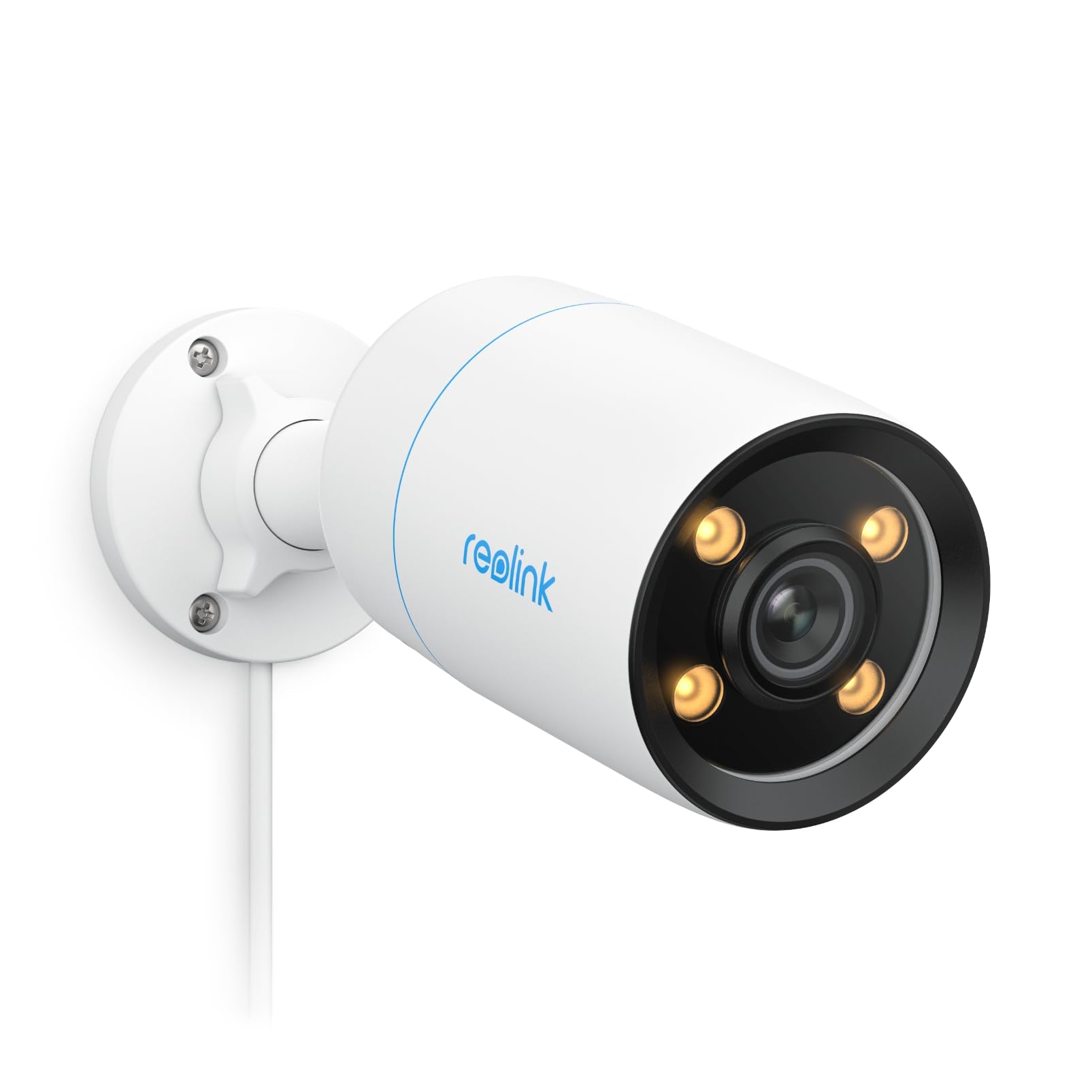
🌟 See everything, miss nothing — even in the dark!
The REOLINK CX810 ColorX PoE Camera delivers professional-grade 4K UHD surveillance with breakthrough true color night vision powered by an F1.0 super aperture and 1/1.8'' image sensor. Featuring HDR technology and AI-driven person/animal detection, it offers precise alerts and multi-layered security. Its plug-and-play PoE design simplifies installation, while two-way talk and warm spotlight enhance real-time interaction and deterrence. Ideal for outdoor security, this IP67 waterproof camera ensures vibrant, detailed monitoring 24/7 with flexible storage options.


| ASIN | B0CX1QCQNX |
| Alert Type | Audio and Motion |
| Antenna Location | Outdoor Security |
| Are Batteries Required | No |
| Best Sellers Rank | #250 in Bullet Surveillance Cameras |
| Brand | REOLINK |
| Built-In Media | 1m Network Cablex1, Color X CX810 x1, Mounting Template, Quick Start Guidex1, Waterproof Lidx1 |
| Compatible Devices | Reolink NVR |
| Connectivity Protocol | Ethernet |
| Connectivity Technology | Ethernet |
| Control Method | App |
| Controller Type | Reolink App |
| Customer Reviews | 4.4 out of 5 stars 315 Reviews |
| Effective Still Resolution | 8 MP |
| Flash Memory Supported Size Maximum | 512 GB |
| Flash Memory Type | Micro SD |
| Form Factor | Bullet |
| Frame Rate | 25 fps |
| Indoor Outdoor Usage | Outdoor |
| Indoor/Outdoor Usage | Outdoor |
| Installation Type | Screw In |
| Item Dimensions | 2.64 x 7.36 x 2.64 inches |
| Item Type Name | CX810 |
| Light Source | LED |
| Manufacturer | Reolink Digital |
| Model Name | CX810 |
| Model Number | CX810 |
| Mount Type | Ceiling Mount |
| Night Vision | Night Color |
| Night Vision Range | 50 Feet |
| Number of Channels | 1 |
| Number of Items | 1 |
| Other Special Features of the Product | Easy to Install |
| Photo Sensor Resolution | 8 MP |
| Photo Sensor Technology | CMOS |
| Power Source | Corded Electric |
| Recommended Uses For Product | Outdoor Security |
| Room Type | Hallway, Living Room, Study Room possibility |
| Special Feature | Easy to Install |
| Specific Uses For Product | Surveillance |
| Unit Count | 1.0 Count |
| Video Capture Format | MP4 |
| Video Capture Resolution | 4k |
| Video Encoding | H.265 |
| Viewing Angle | 93.2 Degrees |
| Water Resistance Level | Waterproof |
| Waterproof Rating | IP67 |
| Wattage | 6 watts |
| Wireless Technology | PoE |
A**7
Overall a great camera - however, here are some things you need to understand
I have used many security different cameras including Reolink and non-Reolink. Of all the cameras I have used to date I would rate the Reolink CX810 as the best one. In this review I am going to explain why. In addition, I am also going to explain a couple things that you should know to understand exactly the performance you can expect. I am not going to discuss the technical specifications of this camera. Instead I am going to use a number of different usage scenarios to show you the images the camera will produce. The first point I want to discuss is that this camera has low light technology. What I mean by this is that it will deliver true color even at night IN VERY LOW LIGHT SITUATIONS (no IR or light). All of the pictures/video in this review have the CX810 set up for 3840x2160 resolution using the H.265 protocol (lower bandwidth). The CX810 has 3000K lights (not UV) that will turn on when it detects motion to illuminate the area. In all the the pictures/video in this review I have disabled these lights. Because my camera is part of a security system I don't want the people to know they are being filmed so I have disabled them. The point being that whatever you see is based on whatever light is coming from somewhere else (more on this later). I am using Synology Surveillance Station which has both the CX410 and CX810 cameras in its compatible list (otherwise you have to use generic ONVIF). PIC1 (I have labeled each picture in the upper right corner because they don't always appear in the order I add them to the review) shows a daytime picture of my driveway/yard during the day during the summer. I think the color and clarity of this image is good. PIC2 and PIC3 are pictures taken at night when it is getting dark (although not completely) and dark. Pic2 was taken in the summer and the grass is very green in color. Note that this picture was taken at 8:14pm and it was starting to get dark (although not as dark as it is going to get a bit later). The proof that it is somewhat dark is that my solar light turned on (next to driveway and garage) and the neighbors lights on their garage are on. Because the camera is very sensitive these lights will "wash out" the areas around them. Compare PIC2 to PIC1 looking specifically at the neighbors garage and you will see what I am talking about. PIC3 was taken at 12:09AM (midnight) and it is as dark as it is going to get. One thing you need to understand is that this picture was taken during the winter so the yard is not as green as it was in the summer pictures. As I have shown in PIC2 and PIC3 the camera does a real good job as long as there is some light. PIC4 is a second CX810 I have showing my back porch. Note that you cannot see anything on the porch. Note that the lights in my neighbors yard appear to be very bright resulting in my back deck showing no detail. I wanted to be able to see my back deck. What I ended up with after some experimentation was to add a dusk to dawn light for my back porch. Because a bright light will "wash out" details (like I showed in PIC2) I put a piece of aluminum foil in the side of the light facing the camera (so the camera would not see it). PIC5 shows the results of adding the dusk to dawn light (note you can see the silvery aluminum foil blocking the direct light toward the camera). The light bulb in this light is a 40W equivalent LED bulb (it was the lowest wattage I could find). The 40W bulb completely lights up my back porch which is about 45 feet long and some of my back yard . I consider the image quality in this picture as good. I have also attached a video to this review. Since you can only add a single video this is actually a compilation of 3 different videos. The video was taken by the driveway camera which uses the available light from my neighbors. The reason I have added this video is to illustrate what I will call "ghosting". The first part of the video shows a fox moving across an area of flowers (this is winter so they are dormant) and then moves onto the driveway and stops. Thile the fox is moving across the flower area it appears to be somewhat transparent. The second part of the video shows a fox moving up toward the camera then across the driveway into the flower area. The ghosting occurs as the fox moves more quickly across the driveway. The third part of the video shows a cat that starts out on my stepping stones and walks across the driveway. In this segment the ghosting occurs as the cat walks across the driveway. If I had a light on (like on my back porch) then this ghosting would not appear. The ghosting only seems to appear in very low light situations and you have movement (remember I have no lighting in these images except for what the neighbors generate). I was able to generate these videos because the CX810 recognized not only movement (like a light moving across the yard due to a car driving by) but as an animal. I have videos of deer, coyote, fox, cat, rabbit, squirrel and birds which were detected as animals by the camera. I doubt that it detects them all but it does the best job of any camera I have owned up to this point. I chose not to use the lights on the camera which would eliminate the ghosting and generate better image quality. All of the other cameras I own have IR lights (not visible by human vision). I don't like the IR lights because they attract bugs which fly around the lights (are attracted by the IR) and then generate false motion detection. The CX810 low light technology allows me to not need the IR lights and eliminates this problem and gives me true color even in low light. If you are looking for a camera that will generate true color images even in very low light situations you should consider the Reolink CX810 (there is also a CX410 lower resolution). It will get the job done!
T**G
Decent camera out of the box. Excellent for nerds. HomeAssistant perfection with some configuration
I am a super nerd and long time system administrator. I'm not an expert in any one field but I know a little about a lot (in IT) so your mileage may vary. This camera is great right out of the box, plug in a PoE cable, use the Reolink app for pretty much everything else TO GET STARTED. You could definitely use this as is with just the Reolink app, however, the current firmware is lacking in some areas. The main issue is that if you want to use the spotlight/warm light - you have to keep it on the ENTIRE time. For example, if you say you want motion spotlight on between 6pm and 6am, the spotlight works as expected but the warm lights stay on the entire window. Kind of obnoxious. Other than that, it's great as is. Where this thing SHINES. Frigate + HomeAssistant (probably even with JUST HomeAssistant too, but that's not what I have experience with). In this configuration, you can get full AI assisted facial recognition and alerts to your mobile phone. You know who's at your door, or in a zone you specify and get a thumbnail image of them sent directly to your phone. And the shoddy spotlight system? You can setup a HomeAssistant automation to only blast the spotlight when it detects a person, or motion, or anything you choose.
J**E
Reloink does it again
I’ve been using this color night vision camera for about six months now, and I’m genuinely impressed with the clarity it offers at night. Unlike the standard black-and-white infrared cameras, this one gives full-color footage even in low-light conditions, which makes it much easier to identify details like clothing colors or vehicles. Setup was straightforward — the app walked me through the process, and the camera synced with my system without much hassle. During the day, the image is sharp and clear, and even at night, the colors remain surprisingly vivid as long as there's some ambient light (like a porch light or street lamp). It’s not perfect in total darkness, Motion detection is responsive, and I haven’t had any false alerts so far. All in all, it’s a solid camera for the price, and the color night vision really does make a difference in home security footage. I’m happy with the purchase and would consider adding more to cover other areas.
M**.
REOLINK CX810 ColorX PoE Camera
I have been running a Reolink system for over 10yrs and really like how well the system operates and so much so I recently updated the entire system with all new updated equipment including ordering a few better cameras than what actually came with a system kit since the new nvr has double the capacity/channels than the older one. This CX810 was one of the location specific camera upgrades and has outstanding color night vision all all around clarity especially where I have it mounted above my porch light. I do have an 8w led in the porch light that is on all night which probably helps a lot but even when I forget to turn it on the camera operates just as well in color by picking up the ambient light from my driveway flood light 20' away that shifts to a low light level when no motion is detected. The only issue I have encountered with the CX810 so far began in the last couple of days. Live viewing through an nvr directly monitor there are scrolling white lines in 1/4 of the screen. While trying to go through their troubleshooting steps I discovered if I give the lens a quick wipe with a paper towel the lines go away. However the lines started again a couple days later & wiping it again cleared the lines. I am not sure what is going on since it is not being touched or getting water spray so the only other possibilities are an issue with the camera, condensation due to a recent storm, or the design makes it much more sensitive than any of the other various models I have mounted around my home to blown dust particles. If any of those are the cause then I am really glad I did not install this particular model in the peak of the eve. I have had to give the lens a quick wipe twice already in the last three days and both times with nothing visible on the lens. The only change here is a recent rain storm that significantly increased the humidity/moisture in the air so it is possible that the heat of the camera lens is attracting the moisture just enough to affect performance but not visible. Generally the clarity degrades while trying to zoom in (which most cameras struggle with anyway) the overall clarity for normal viewing is outstanding. The sound recording along with the 2-way talk and spot light only makes this camera even better. I was going to order a couple more to replace some of the basic 4k cameras that came with the nvr/camera package but I will wait for now to see how this one fairs. I just hope this is not a sign of a defective camera due to the cost.
T**T
Good. Better than the 410 overall.
I have a couple of these for driveway and yard coverage. They're good, a little better than the 410 but overall similar and my review will reflect that. Pros: -Daytime image quality is excellent -Night vision is very clear with a bit of ambient light from driveway wall sconces for example -Mounts nicely and holds position when you tighten it down Cons: -Audio is overboosted or something and clips/distorts easily -While the image quality is great, the metering/dynamic range isn't, it overexposes light areas in direct sunlight when my darker cars are in frame. I've adjusted the image in the NVR to deliberately underexpose a bit during daytime to compensate for this. As with the 410, it would be nice if there was a mic gain setting in the NVR or app and there must not be a foam insert around the microphone or something because it is very susceptible to wind noise. It does seem to be better tuned for detection than the 410, though it is also in a different area so it might just be situational.
J**T
Probably the best home security option
I've tried or have family who have/have tried most of the big names in home security cameras. I'm converting them as sales make sense as Reolink is the best I've found. Good picture, quick connection, good enough app and no subscription fees necessary (there may be an option to upgrade coverage, but haven't found a need to). The only downside so far is that I haven't found a way to choose a different notification sound for each camera. Between the Reolink cameras, I have the CX810 model and the Duo3. The Duo3's field of vision is nice and may allow you to cover most of the front of your house with one camera, however the clarity seems better on the CX810 and it performs far better in low light. Both options are POE - you run an Ethernet cable to them and they have power/connection so super easy. I also have tried installing the cameras standalone with SD card for storage and using the hub. If you're getting more than one camera, get the hub. In the future, you likely will find an excuse to add more cameras. You'll also likely save on cost in the long run as each standalone installation will require a memory card and a POE injector (about $20). Without the hub, injectors are needed to send power over the Ethernet cables for the cameras. UPDATE: Waited a couple months after purchase to install one of the cameras. It was not working properly, so I contacted support explaining the situation. I had to pay return shipping, but they sent me a replacement. Still very happy with Reolink and knowing they back their product makes it feel like a safe buy.
D**N
Product defective, reolink customer service automated voice hung up on me twice
This camera advertises itself as able to connect to your home network using wifi. First you have to use a hardline, then you can connect to your wifi after that. I went through this process and the app never gave me the option of connecting via wifi. I watched reolink's youtube videos that purport to explain how, and it says "select the 'network' option on the camera's settings on the app." Well, there is no network setting on the app that I could see. I called their customer support, thinking I must be doing something wrong, and their automated voice said they had a high volume of calls, please try later and hung up. Every time I called after that it said the same thing then hung up. Secondly, the camera didn't even come with any way to plug it in. I had to buy a separate dc power supply from a third party and hope it would work. I am returning this along with the reolink home hub. Extremely dissatisfied customer.
W**R
Best brand of cameras
Great color clarity, Two audio is very clear
Trustpilot
2 months ago
3 weeks ago