
DOWNLOAD THE APP


Customer Services
Copyright © 2025 Desertcart Holdings Limited
DOWNLOAD THE APP


🚀 Elevate your WiFi game — because buffering is so last decade!
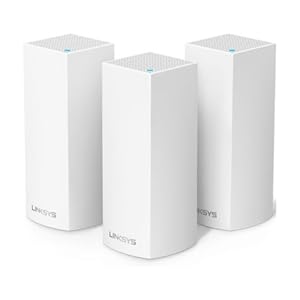
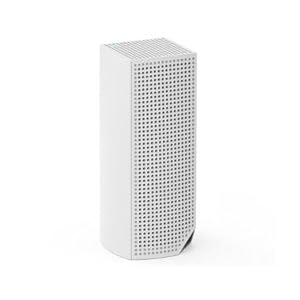
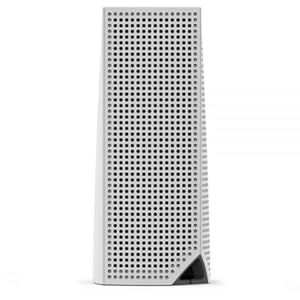
The Linksys Velop Tri-Band AC2200 1-Pack WHW0301 is a powerful, futureproof mesh WiFi system designed to replace traditional routers. Featuring tri-band AC2200 speeds and intelligent mesh technology, it ensures the fastest internet path for seamless connectivity. With quick setup via the Linksys App in under 5 minutes, parental controls, guest networks, and upcoming Apple HomeKit compatibility, it’s the perfect blend of performance and smart home readiness in a sleek, compact design.
| ASIN | B01N2NLRSD |
| Are Batteries Included | No |
| Batteries | 1 Lithium Ion batteries required. |
| Best Sellers Rank | #16,416 in Computers ( See Top 100 in Computers ) #326 in Routers |
| Brand | Linksys |
| Color | White |
| Connectivity Type | Wi-Fi |
| Customer Reviews | 4.3 4.3 out of 5 stars (3,059) |
| Date First Available | 20 January 2017 |
| Item Weight | 490 g |
| Item model number | WHW0301 |
| Manufacturer | Linksys |
| Number of Ethernet Ports | 2 |
| Operating System | Linksys OS |
| Processor Count | 1 |
| Product Dimensions | 7.87 x 7.87 x 18.54 cm; 489.88 g |
| Series | WHW0301 |
| Voltage | 100240 Volts |
| Wireless Type | 2.4 GHz Radio Frequency, 5 GHz Radio Frequency, 802.11b/n/ac, 802.11bgn |
A**N
Quick integration with my existing linksys to boost coverage
Quick integration with my existing linksys to boost coverage
J**H
Easy to set up
Excellent product easy to use and setup
C**N
Muy buen alcance del wifi, la configuración la hice a través de mi teléfono y muy sencilla la app te deja configurar todo incluso abrir puertos, muy satisfecho con la compra
N**P
Been using this nearly a month and it's been pretty set and forget. There was some wonkiness with reserving a particular IP address but managed to fix that on the client side. The main node is downstairs and the 2nd node is in my room with ethernet out to two devices (Really enjoying ethernet on my nvidia shield). Setup was a cinch, and while most devices in the house are stationary, it does a great job of node/band steering. I have a 200/15 connection and wirelessly, everything just works. There's a minimum of 5 always connected devices with 5-7 devices connecting when needed. I initially bought a Wifi 6 router from Netgear for close to the same price and it performed worse than the previous wifi 5 router I was replacing it with so this mesh system is just want I needed, money well spent. Plus I don't know if it's still the case, but at the time of purchase this was the only mesh system that came in the color black, which was another deciding factor. The mobile app is also great, you can do majority of the setup/administration/configuration without touching a pc/laptop. Note: You will need to use a mobile phone/device with bluetooth in order to setup the initial node and subsequent nodes.
T**N
I don't think I've ever experienced such a simple set-up process for a router since my first AirPort Extreme. I always assumed "the other" routers in general would never become as easy to set up and use. I held on to my 5 year old airport for as long as I could, but unfortunately the range wasn't reaching a new and critical part of our house. So I started doing tons and tons of research trying to find the best router replacement. I came across "mesh routers" and discovered how popular they are for people with coverage problems. I then did even more research trying to find the best mesh router that wasn't astronomically expensive. I initially ignored the Velop because of it's high price, but kept it in the back of my head because of the strong performance it offered in comparison to the majority of it's competitors. I started to become dead set on getting the Netgear Orbi, because of it's high performance and the fact that it was on sale during Black Friday. I kept hesitating though because I'm not a fan of Netgear products and became worried that the quality and experience of the product might not live up to my standards. Then I casually looked again at the Velop and was shocked to see the new sale price on Black Friday and immediately pulled the trigger. Set up took no longer than 30 minutes. The companion app did it's job well and everything was up and running like nothing ever changed. (I kept the same wifi name and password as my old router and everything reconnected.) I immediately noticed the speed and range differences throughout the house. I'm now getting between 200-300 mbps throughout all of my house. Even in my backyard. I pay for 300mbps down 20mbps up. I did have to restart the modem and routers once since I've had it because I was getting abnormally slow speeds, but I'm not sure if it was the router or my internet providers fault. We'll see with time how often this occurs. So far though, It's just a set it and forget product. Like how they all should be. I'm a happy camper with better range and faster speeds. I'm definitely happy that I skipped the Orbi and went with the Velop.
B**R
We have a somewhat large house. As such, WiFi coverage can be spotty depending on where you are, how many walls the signal has to go thru, what furniture is in the way, and all kinds of things like that. We have a relatively new router, a Linksys AC5400 Linksys AC5400 Tri Band Wireless Router, Works with Amazon Alexa (Max Stream EA9500) . It works well and has good coverage as in my iPhone and MacBook Pro both get good signal thruout most of the house. Things had been okay until we got a new DirecTV DVR. Our previous model had worked fine on the LInksys 5 GHz WiFi band but this new model couldn't keep a connection up if its life depended on it. We tried both the 5 GHz as well as the 2.5 GHz bands, changed channels, but no joy. So a conundrum: what to do? The alternatives we came up with included: - Running CAT6 thru the walls for a direct connection - Running Ethernet over our power lines - Setting up a mesh WiFi network The first option would have been best. Direct connect to our router; no outside interference; number of walls didn't matter (well, other than running the cable). So good all around. But running wires thru a 2-story house is basically a real pain in the rear. So while we could make this work, we decided not to because of the problems running the signal cables. The second option seemed reasonable. The interface devices were relative cheap. You plug on into a power outlet near your router, run a CAT6 cable to it, plug a second unit into an outlet near where you need your network signal, plug that into your device, and all it good. So we tried a pair of Zyxel AV2000 power line devices Zyxel AV2000 Powerline Kit, Pass-Thru, 2-port Gigabit, Brown Box (PLA5456BBKIT) . Initially, this worked well: green connection lights on both units, good signal where we needed it. But it didn't last. We had a storm roll thru with a couple of mild power spikes. That killed one of our units. All our computers and electronics are behinds UPS units; there were unphased. The Zyxel unit, however, had to be plugged into the wall directly as the Ethernet signal wouldn't make it thru UPS filtering. Hmmm...bad luck I suppose. So I bought a pair of additional units, plugged one it, and all was good with the world again. That was, however, until we tried to pull some bigger download thru the unit. Our green lights turned to yellow indicating poor signal quality. Our download speed went to virtually zilch no matter what we do. Bottom line: this did not work for our needs. Our final option was to try a mesh WiFi network. I have done IT work for my entire career. Setting up access points so that you get good WiFi coverage without interference through a structure can be anything from easy peasy to downright impossible. So it was with some degree of apprehension that I decided to give this a go. As it turns out, any misgivings were ill founded as setup was a breeze. The steps were simple: - Load a free app onto your iPhone and Android phone - Wire one unit to your router and power it on - Use the app to setup your new WiFi SSID and password plus configure the device (2-3 min) - Plug a second device into power where you need WiFi coverage then use the app to configure it (again, 2-3 min) - Repeat if you have a 3rd or 4th device So this was cool: I now had another WiFi network running in my house. I joined my iPhone to it then tested it for ping, jitter, download, and upload speeds. These were the same readings I got when I tested via my MacBook Pro directly connected to that same router. Okay, we're good: strong signal, no performance penalty. So I joined my DirecTV DVR to this new network confident that I had solved the problem. Unfortunately, things did not go well. Even though I had a good connection. the DirecTV device couldn't use the signal. It told me this by freezing and becoming unresponsive any time I tried to download something over this new network. It was so hung up that I had to power cycle it to clear the condition. Well, phhhhtttttt (that's a highly technical term we us in IT when something should work but doesn't). Then I remembered: each Velop unit has a pair of RJ-45 connectors on the bottom. I wonder: could I run a short CAT6 cable from the Velop to the DirecTV DVR and use a wired rather than a wireless connection? So I gave it a shot and it worked. Not only did it work but it has stayed working ever since with nary a whimper and zero problems. Pros: - Works well - Reliable - Really easy to setup even for non-IT folks Cons: - Somewhat expensive Bottom line: - I would absolutely recommend the Velop to anyone looking for uniform, reliable WiFi coverage throughout their home.
C**N
They're good but not great. I already have 2 nodes and needed 1 more to complete the coverage in my home, as the one upstairs doesn't reach all the way to the back of my house. Pretty easy to set up if the signal is alright for pairing to the parent node. Connection speed I find is random in my house. I find any of my devices will have issues getting a constant fast connection and maintaining one. All in all these are nice routers with a few bugs that need to get ironed out. As for receiving my Linksys Velop, it was ahead of schedule by a day and no damage to box.
Trustpilot
1 month ago
1 month ago