
DOWNLOAD THE APP


Customer Services
Copyright © 2025 Desertcart Holdings Limited
DOWNLOAD THE APP


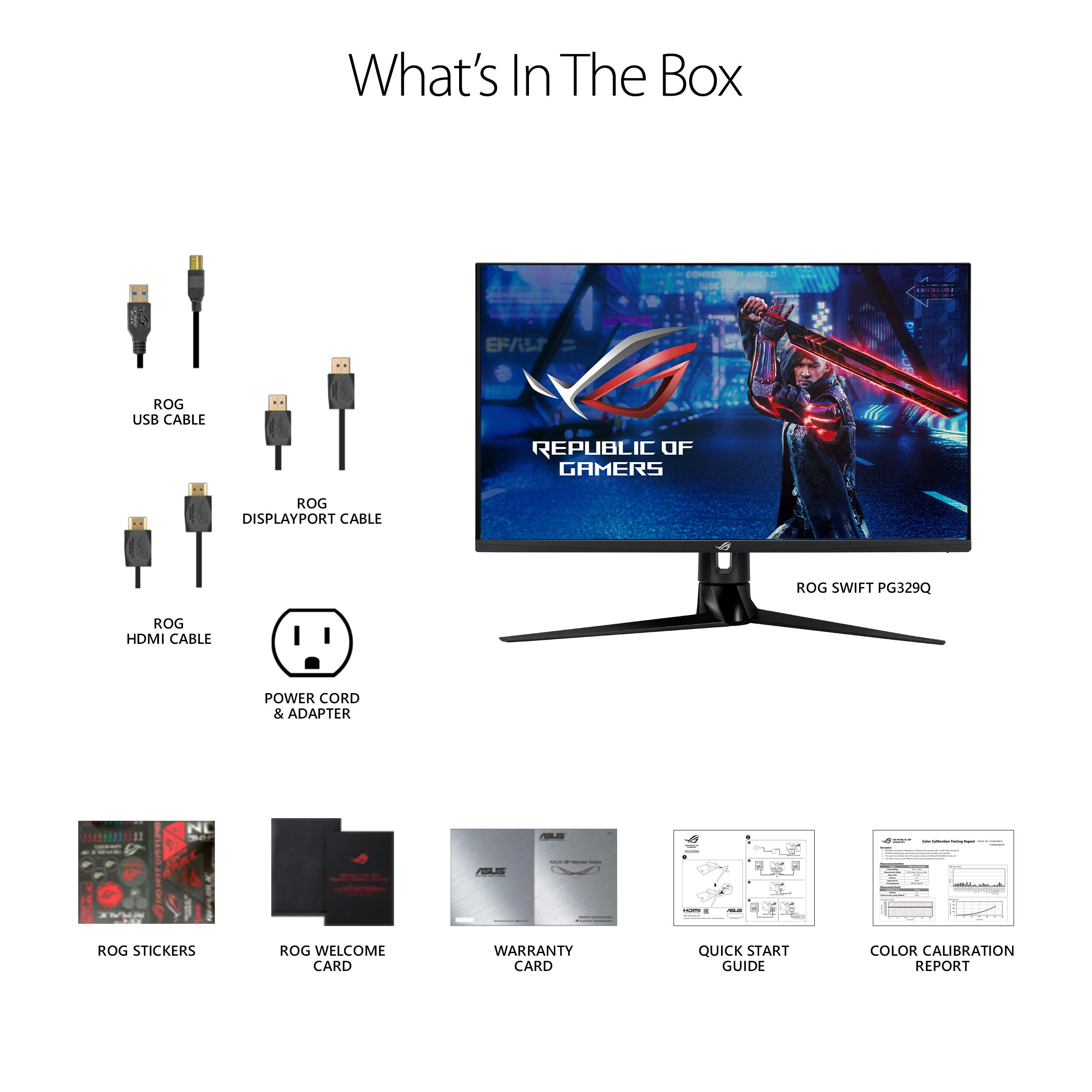
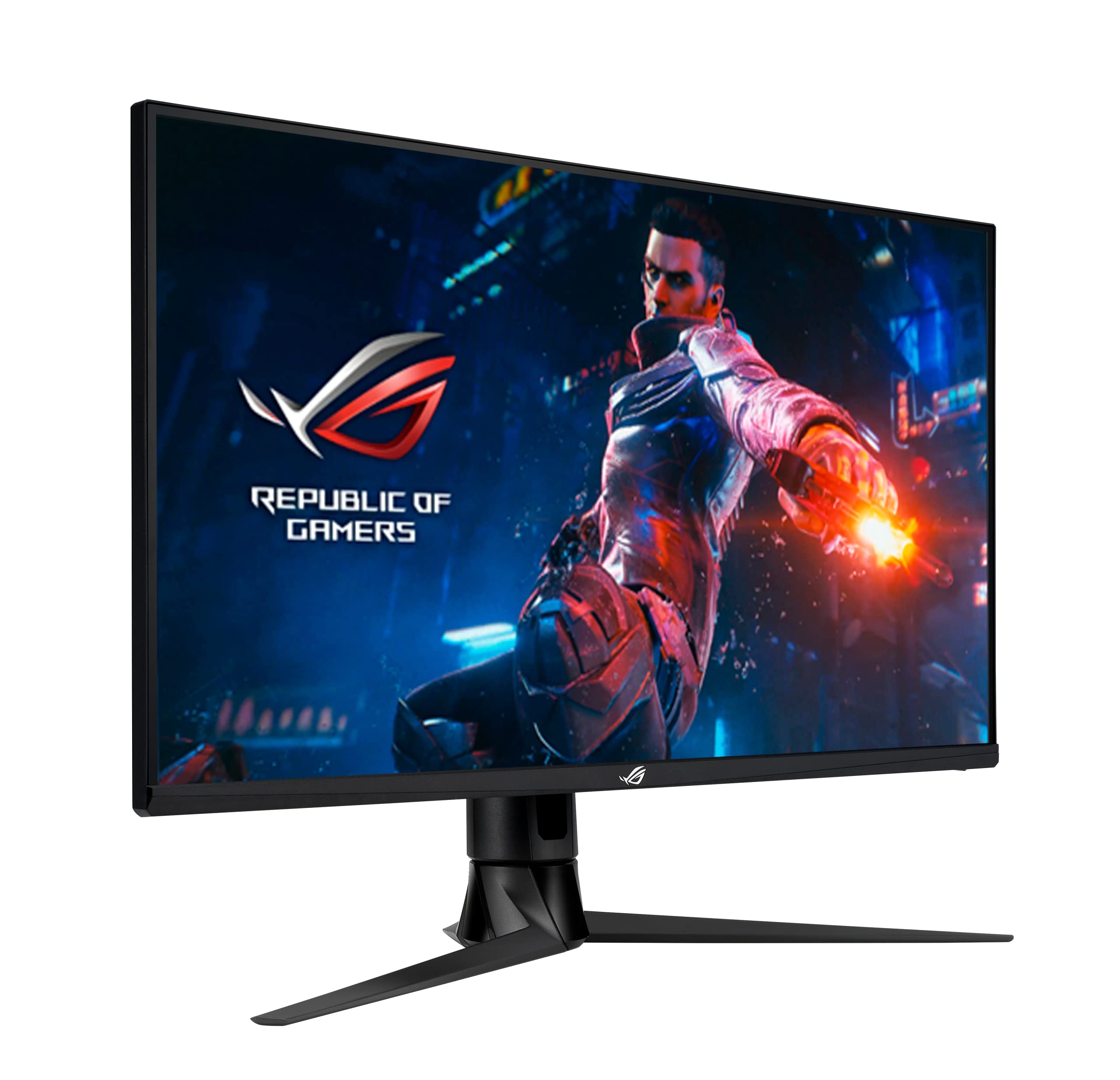
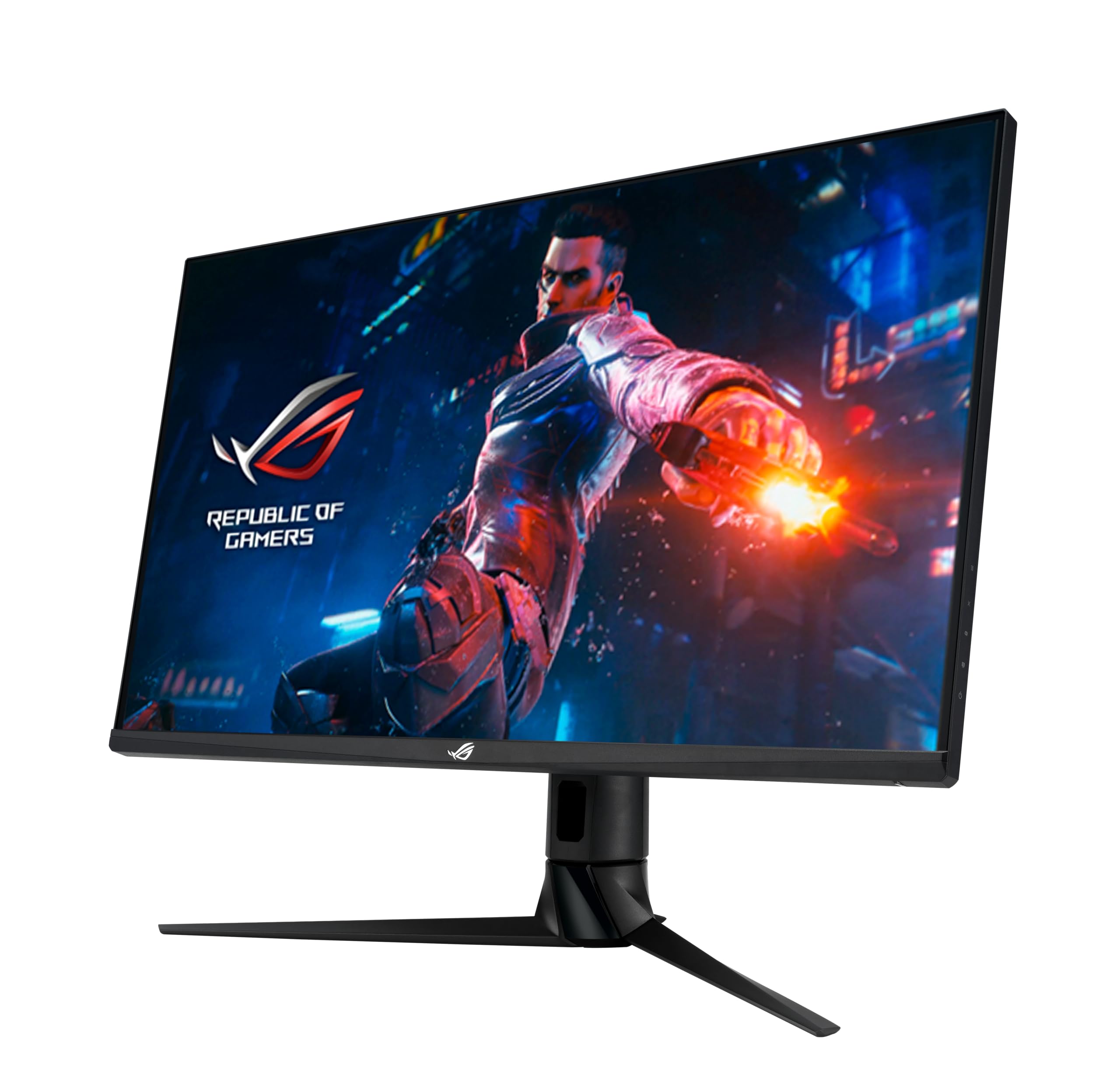
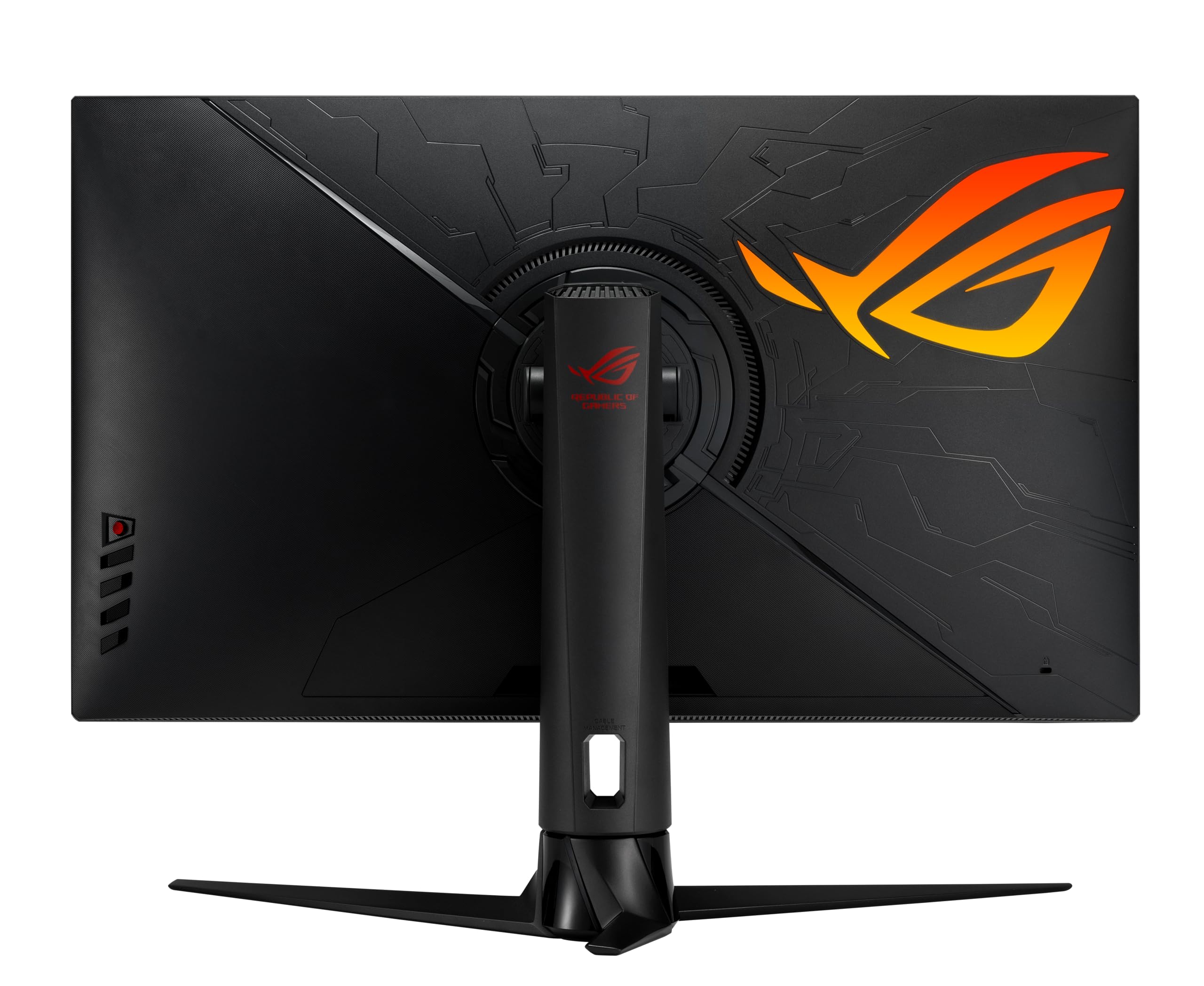
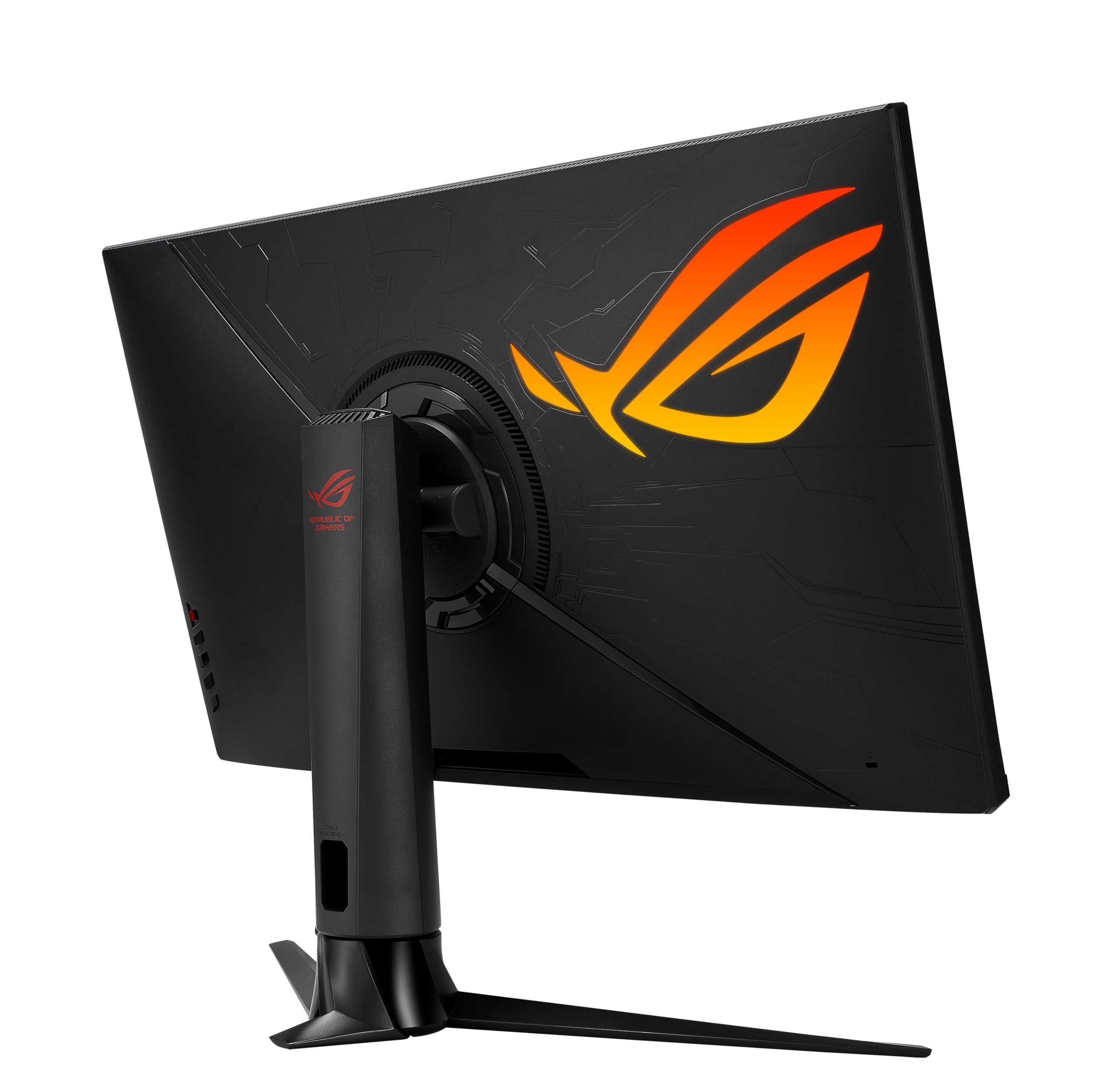
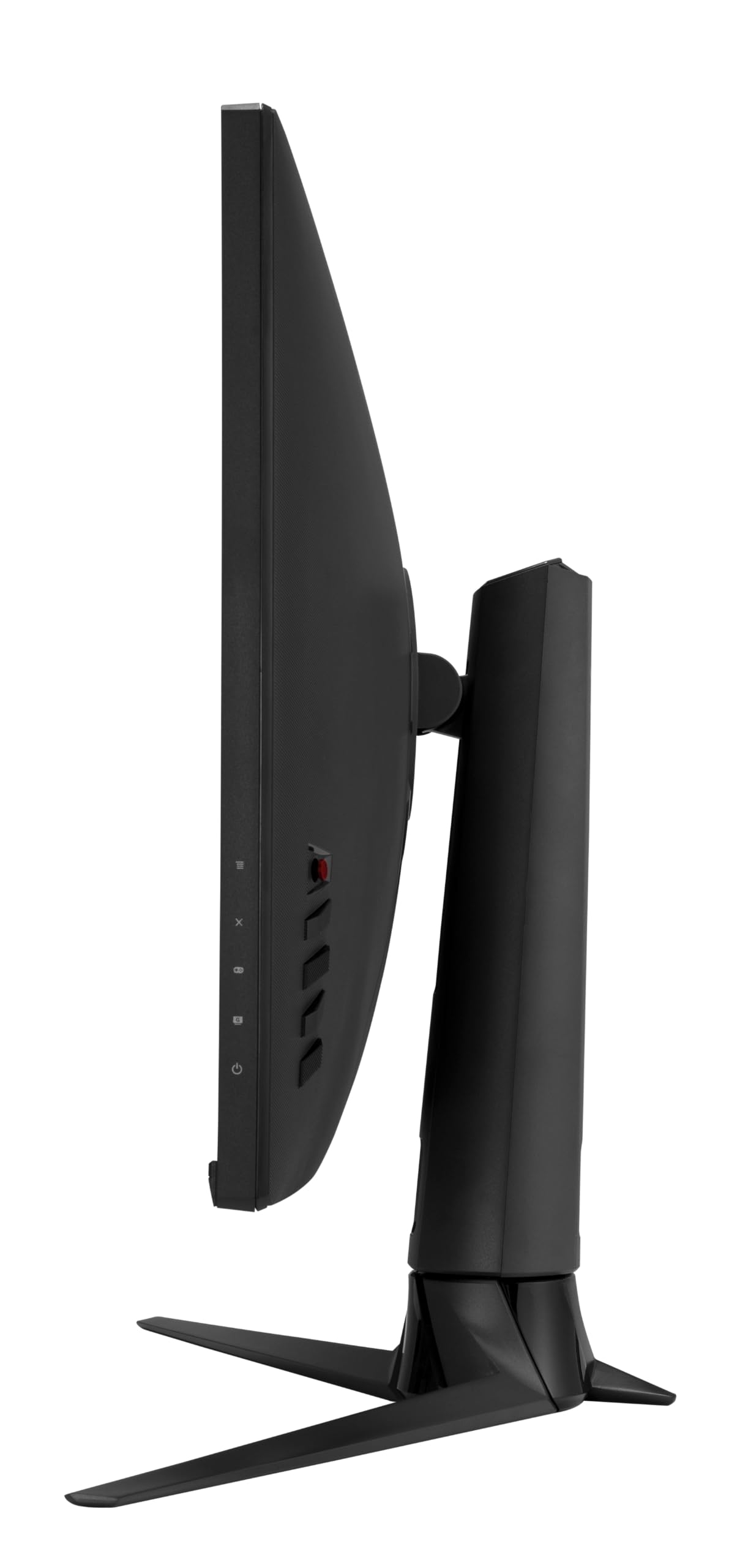
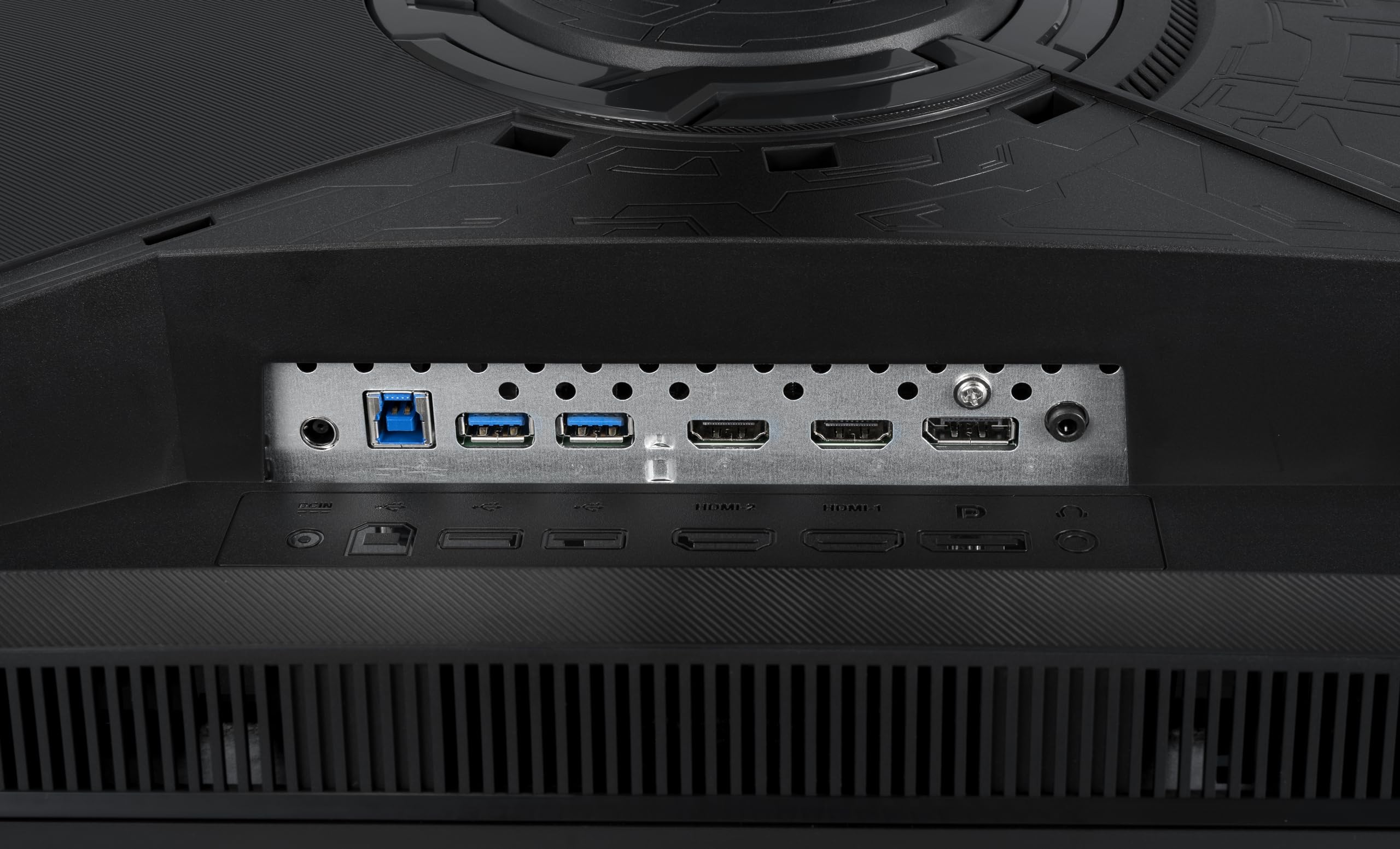

🎮 Level up your game with ASUS ROG Swift PG329Q — where speed meets stunning visuals!
The ASUS ROG Swift PG329Q is a 32-inch Fast IPS gaming monitor featuring a sharp 2560x1440 WQHD resolution, an ultra-fast 175Hz refresh rate (supports 144Hz), and a 1ms response time. It supports NVIDIA G-SYNC and ASUS ELMB Sync for tear-free, blur-free gameplay. With DisplayHDR 600 certification and 98% DCI-P3 color gamut, it delivers vibrant, cinema-quality visuals. Eye Care technology reduces eye strain, while an ergonomic stand and multiple connectivity options ensure comfort and versatility for professional gamers and creatives alike.


| ASIN | B08GL66PK4 |
| Adaptive Sync | G-Sync |
| Additional Features | Blue Light Filter, Built-In Speakers, Flicker-Free, Height Adjustment, Swivel Adjustment, Tilt Adjustment |
| Aspect Ratio | 16:9 |
| Best Sellers Rank | #4,169 in Electronics ( See Top 100 in Electronics ) #161 in Computer Monitors |
| Brand | ASUS |
| Brightness | 600 Candela |
| Built-In Media | DisplayPort cable, HDMI cable, PG329Q Monitor, Power Adapter (150W), Power cord, Quick Start Guide, ROG sticker, ROG welcome card, USB 3.0 cable, Warranty card, color calibration report |
| Color | BLACK |
| Color Gamut | 150 |
| Connectivity Technology | DisplayPort, HDMI, usb |
| Contrast Ratio | 1000:1 |
| Customer Reviews | 4.4 out of 5 stars 1,523 Reviews |
| Display Resolution Maximum | 2560 x 1440 Pixels |
| Display Technology | IPS |
| Display Type | LCD |
| Hardware Connectivity | 3.5mm Audio, DisplayPort, HDMI, USB 3.0, USB 3.2 Gen 2×2 |
| Has Color Screen | Yes |
| Image Contrast Ratio | 1000:1 |
| Is Electric | Yes |
| Item Dimensions D x W x H | 17.79"D x 28.67"W x 11.52"H |
| Item Type Name | ASUS ROG Swift PG329Q 32” Gaming Monitor, 1440P WQHD (2560x1440), Fast IPS, 175Hz (Supports 144Hz), 1ms, G-SYNC Compatible, Extreme Low Motion Blur Sync, Eye Care, HDMI DisplayPort USB, DisplayHDR 600 |
| Item Weight | 20.94 Pounds |
| Manufacturer | ASUS |
| Model Name | PG329Q |
| Model Number | PG329Q |
| Mounting Type | Wall Mount |
| Native Resolution | 2560x1440 |
| Number of Component Outputs | 3 |
| Picture Quality Enhancement Technology | Fast IPS, G-SYNC Compatible, Extreme Low Motion Blur, High Dynamic Range |
| Power Consumption | 43 Watts |
| Refresh Rate | 175 Hz |
| Resolution | QHD Wide 1440p |
| Response Time | 1 Milliseconds |
| Screen Finish | Flat |
| Screen Size | 32 Inches |
| Screen Surface Description | Flat |
| Shape | Flat |
| Specific Uses For Product | Business, Gaming, Personal |
| Total Number of HDMI Ports | 2 |
| Total USB 3.0 Ports | 2 |
| Total Usb Ports | 2 |
| UPC | 192876829134 |
| Unit Count | 1.0 Count |
| Viewing Angle | 178 Degrees |
| Voltage | 240 Volts |
| Warranty Description | 3 Year Warranty with ARR |
| Warranty Type | Full warranty |
E**C
Great Monitor for 1440 Gaming
Although they can be a bit pricy for my liking, ASUS products don't miss in my experience. Neither does this one. For 100$ off the original price, this monitor was a steal. It's OSD features multiple visual settings that can give your screen deep blacks like a VA while still providing the colorful visuals of an IPS. Brightness is great as well, even at 50% it's still more than adequate to see everything on screen. Its height and tilt adjust makes it great for desks with elevated monitor stands and people using chairs lacking adjustment capabilities. The buttons and tiny joystick behind it on the right side make the OSD easy to control and access. As far as gaming goes, it's great, however there is one hiccup I had. Turning on VRR made this monitor spewing bricks, the refresh rate kept changing so frequently that the monitor's upper half would flicker until I clicked a window that would make it stop, only for it to continue once more. Not sure if this is a monitor side issue or if I did something wrong on my end, but after endless troubleshooting I leaned towards the former and ultimately decided to turn it off. It's no big deal for me personally, I can still get 240FPS on the games I play that allow it. All things considered, I scored big time with this monitor, and if you choose it, so will you.
J**M
Excellent monitor. You get what you pay for!
I need to start by saying that I just recently purchased a different, cheaper 34in 2k monitor from an off brand here on Amazon, and I was so appalled with it after a day of trying to get the colors to look correct, and the HDR to work, and a dozen other issues, that I wrote a multi paragraph review expressing my discontent and returned the monitor. So that brings us to the Asus Rog 34in 2k OLED, which I bought as a replacement. Yes, this monitor is very nearly 3 times the price of the one I just returned.... But the old adage that you get what you pay for is never more obviously apparent than when dealing with monitors, as I've just learned. The difference in quality is staggering. I have been blown away by this monitor. Deep contrast, absolutely no color or gradient banding, seamless HDR support without any fuss (literally just enable HDR in windows display settings and done), the colors are fantastic, the OSD menu is the best I've used on a monitor (I love the little joystick button on the bottom for menu navigation), the 180hz refresh rate still being available at full resolution AND HDR enabled was actually surprising (usually you can have HDR or the max refresh rate, not usually both at the same time)... Also my AES mount fit right into the recessed space on the back (other monitors require standoff spacers because the recessed area isn't large enough) This monitor looks amazing, and you won't be disappointed. If you're looking at cheaper monitors, especially off brands to save money, just stop. I just learned my lesson, so I'll pass this wisdom on to you. Cheap out somewhere else. The monitor is not the place to do it. As far as criticism, not much to be honest. I guess if I was splitting hairs, the cable guard removable panel on the back is a little annoying. There's a cable guard panel that pops off on the back with a small cutout to funnel the wires through at the top of it. (It's a half circle cutout at the edge of the panel, not a hole) While it doesn't hurt anything, and does keep the wires bundled together, you have to bend the cables at an uncomfortablly tight angle to get them to fish through the cutout. And, for those who are unaware, bending DP and HDMI cables is a no no. It would have been nicer if that cutout was placed lower on the removable panel so the cables didn't have to bend as much to make it out. But if you don't want to chance it, just leave the cable guard panel off. Either way it isn't a major deal, just something I kind of mumbled some words about as I was setting it up. But that's really it as far as the negative goes. The resolution is amazing. HDR is extremely good. Refresh rate paired with Nvidia gsync is flawless. The OLED contrast is game changing for cyberpunk 2077. It's curve angle is spot on. I have it wall mounted with a fairly narrow desk, so I was worried I'd be sitting too close (about 22in measured from my eyes to the screen), but it's actually very comfortable to use the full width of the monitor. I did roll my chair back to where I was 32in away to see if people with a deeper desk would have issues but it feels comfortable at that range too. I rarely leave positive reviews (about the only time I'll leave a review is when a product really ticks me off, and those aren't typically positive reviews) But for this, I felt it was necessary to share my thoughts. Asus deserves it. Especially since I'm not easily impressed when it comes to gaming PC hardware and devices. I really was genuinely impressed with it. And I'm not just saying that because it came with some fancy RoG Strix stickers lol
D**O
Great monitor for price
Great monitor! Purchased this to go along with my new PC build. After a month of using it daily I've got to say I'm pretty Impressed. Color and brightness are extremely good, easily allowing me to see things I couldn't with my old laptop screen. I really love the built in blue light filter so I can actually use it at night without getting a headache or hurting my vision. VRR is also great when paired with my 9070XT and I don't see any tearing or ghosting like on my old monitor. The 180hz refresh rate is also a really good sweet spot if your a casual gamer like me. Good viewing angles, and adjustment is extremely easy. You can lift and rotate it with just a few fingers and little force. Also really cool how you can rotate it 180 degrees if you wanted to use it as a secondary monitor without having to buy a custom stand. Setup and instructions were also really easy, (I thought I was skipping a step when putting it on the stand but it really was just click into the circular socket and you're done, no screws necessary.) Build quality is also very solid, feels sturdy with a good weight to the monitor itself and its stand. If I had one complaint it would be that the bottom of the stand can be a little cumbersome and big especially if you have a smaller desk but its not too bad, just something to keep in mind if you have limited space. Overall verry happy with my purchase, definitely would recommend if your looking to get into 1440p gaming
A**N
Honest Review
I’ve been using the ASUS ROG Strix 27-inch monitor for a few weeks now, and honestly, it’s one of the best upgrades I’ve made for my setup in a long time. The first thing I noticed right out of the box was how solid and premium it feels the stand is sturdy, fully adjustable, and gives off that ROG “gamer” vibe without looking over the top. This thing absolutely shines when gaming. The 170Hz (up to 180Hz on some versions) refresh rate makes everything look buttery smooth. Whether I’m playing Valorant or Call of Duty, the motion feels super fluid and responsive. There’s barely any input lag, and ghosting is almost non-existent. It’s one of those monitors where once you use it, it’s hard to go back to 60Hz. The Fast IPS panel is also impressive. Colors are bright and vivid but still look natural. It’s not quite OLED-level contrast, but for an IPS screen, it does a fantastic job. Shadows and dark areas are a bit lighter than I’d like, but that’s pretty normal for IPS.The 1440p (QHD) resolution hits a sweet spot — crisp visuals without demanding too much from my GPU. I do a bit of photo editing and video watching too, and the color accuracy out of the box is decent. I still tweaked brightness and gamma settings a bit to get it just right. ⚙️ Features & Build The monitor comes with all the right features: G-Sync and FreeSync support, ELMB Sync (which helps reduce motion blur), and a few gaming presets. I personally turned most presets off and adjusted it manually, but it’s nice to have options. Connectivity is solid too — DisplayPort, HDMI, and even a USB hub depending on the model. The stand allows for tilt, swivel, pivot, and height adjustment, which is great for ergonomics. 🌈 HDR and Everyday Use It’s labeled as HDR400, but let’s be real — it’s not true HDR. Don’t expect jaw-dropping highlights or OLED-level blacks. Still, it adds a little extra pop to games and videos. For day-to-day work, web browsing, and editing, it’s super comfortable to look at. Downsides If I had to nitpick: The HDR mode isn’t that impressive. Black levels could be better. Out-of-box color settings were a bit off. But none of these are dealbreakers — especially for the performance you’re getting. BUUUUUUUUUUUUUT.... Overall, the ASUS ROG Strix 27" is a fantastic gaming monitor that balances speed, color, and build quality. It’s perfect if you play fast-paced games but still want something that looks great for media and productivity. If you’re after smooth gameplay, sharp visuals, and reliable performance, this monitor won’t disappoint. ⭐ Rating: 9/10 — A near-perfect choice for serious gamers and all-around users.
C**S
XG27ACS - Impressions after opening and setup.
Day 1 Impression: On-Sale $234 shipped. 27qhd highHZ, can't complain. nice packaging and accessories. Love the stand - matches my RogStrix G513QY laptop nicely, very sturdy. Purchased to mount on a mobile desk with the 15inch laptop screen removed. The screen itself is rather light, easy vesa mounting if needed. usb-c to usb-c display is a bonus. The Display is... "As expected" for the price and NAME BRAND. except.... The anti-glare "FOG" almost looks like backlight bleeding at angles, definitely a tradeoff for no major glare in well-lit areas. My Display showed Zero dead pixels, 1 small spot (1inch) of backlight bleed on the bottom horizontal run, but I can live with it... for the price. Menu/Picture settings are easy to navigate, and the QHD is beautiful, even with standard hdmi 60hz. Very Happy purchase for a budget laptop extension/extra display. If it works like this for 3-5+ years no troubles, I'll say it's a good purchase. Time will tell. ***In the picture shown, the blue areas are the Anti-Glare FOG, noticeable in dark scenes when in a dark room or when viewing at angles. It is not truly noticeable during day/lights-on. The Green area is the small Backlight Bleed (Not noticeable during day or other than black screen) Second photo is during the day on black screen test, slight "Angle-AntiGlare Fog" nothing harsh. For the SALE price, I would repeat the purchase, no real complaints, hope it holds up.
L**O
Solid monitor
I’ve been using this ASUS 27” 2k monitor for a bit, and the build quality looks really nice. The screen feels sturdy, the stand is stable, and everything arrived in good condition. Setup was quick and straightforward, and it looks clean on my desk. So far the display looks sharp and smooth for daily use and gaming. I haven’t run into any issues yet, and overall it feels like a well-made monitor for the price.
B**D
Great Gaming Monitor - HDR is a little Over Saturated - KVM is Nice, but not Perfect
Was looking to get into the gaming monitor action with a high refresh monitor. I was having a hard time choosing between the various models at a sub $800 price point. I wanted a G-Sync Ultra but price eliminated those, so G-Sync Compatible was next choice. What sealed the deal for me was the color rating, the refresh rate (180Hz with 100Hz for HDMI), and the final push was the KVM. I installed this at my wife's desk to replace a Dell U3417w so that she could use it for work and I'd game on the weekends. The KVM helped to reduce wires as she connects her work laptop via USB-C for key/mouse/video/USB. It all works great and does what I need it to do with a few limitations or things that I notice: 1. The HDR settings look overly saturated -- reds and oranges for sure. I've played with the Windows 10 slider and have it set far to the left to reduce HDR brightness. At the middle or right settings make it look really strong. The oranges remind me of the 2021 World Series when TBS broadcast an Astros game in HDR over their app and the orange of the astros looked insanely bright and saturated. 2. The KVM works -- but you have to manually switch the USB control between USB-B and Type C each time. I guess it's not that much worse than a manual KVM that you'd press a button or keystroke, but I have a dell with KVM built in and it auto switches with video signal. Again, not the end of the world, but something that wasn't clear in the manual before hand. Would have been nice to know I had to do this manually. 3. Only two USB ports total. Again, I knew this going in, but feels like a limitation. At the $799 price point, would have been nice to have four. Again, my dell with KVM has at least four USB ports that work with the KVM. The screen is high quality and the picture is nice. I have been gaming at 180Hz and enjoying it. Wasn't as drastic a change as my friends hyped for me, but that could just be me. If you are thinking about this monitor for its KVM and don't need it for the high refresh, definitely look at a Dell monitor. Also, one other issue, which is not the monitor's fault -- but my wife's HP Z book over USB C has a really annoying issue. The screen goes black for a second or two when opening emails from Outlook (Pro Office) if the emails are launched and display on that monitor. So Strange. Happens in excel sometimes, but always when opening emails from outlook. Put outlook on the laptop screen and open them there and no black flashing screen. Again I attribute this to the laptop and it's USB C port. Doesn't happen when connected to the monitor over HDMI -- but I bought this to be a KVM and the laptop is likely the weak point here. Good luck.
L**A
Top quality, great features!
So, after using this monitor for a few months now, I feel like it's a good time to post a review for others who may be considering this specific model. This monitor was a huge upgrade for me, price wise and feature wise. The 240 HZ at 1440P is beautiful, and my graphics card sends its regards. I don't think I can ever go back to normal 1080P. The quality is very nice and precise, the 240hz especially while gaming is insane. I play games like Valorant, CS, LoL, etc. and the difference is VERY noticeable. I come from 1080p 144hz, and before that it was 1080p 60hz. This monitor also has HDR and G-Sync support, which is pretty nice. I personally don't like using HDR, but I have tested it with this monitor and it works pretty good. HDR in general on Win 11 is kinda shoddy in my opinion, so I just don't use it. It took some getting used to for sure, but the menus are good and have a lot of options. There is an app you can download to control the settings if you don't wanna do it manually, but I didn't like the app and I prefer to set my preferred settings on the monitor itself. With my next PC build, I plan on doing everything ROG Strix to match the monitor. This monitor comes with it's own power brick, which makes sense, but I think because of this there is a technicality with the monitor. When the monitor is turned on, then the output to your computer is on, and vice versa. So basically, if you're using your computer or you wanna leave it running at night, when you turn off the monitor your computer will no longer be receiving input, so in a sense the monitor gets "unplugged" and if you have a second monitor that one will become the main monitor while this one is off. It's a little weird, but I've gotten used to it. My previous old monitors never did this, so I feel it's important to mention here since when I was setting this monitor up for the first time, I thought it was broken haha. So now what I do is: I lock my computer for the night or turn it off, and I just leave the monitor on while the screen times out after 60 seconds. So the monitor technically stays on and doesn't mess with the input, and it also leaves the RGB on the back of the monitor on so it's some nice ambient light which gives me comfort personally. Overall, I can't really find anything negative to say about this monitor. Perhaps the price is a bit much, but if you can afford it, then it's a great investment. This is the kind of monitor I used to dream about having when I was in my teenage years gaming on a low tier PC. Now that I'm older and have the means, this purchase was 100% worth it for me and honestly was one of the best purchases I've made in 2024. You can never go wrong with ASUS in my opinion, they are top tier and it's for a reason. I don't really ever write product reviews, but this one deserves a good rating.
Trustpilot
5 days ago
1 month ago