
DOWNLOAD THE APP


Customer Services
Copyright © 2025 Desertcart Holdings Limited
DOWNLOAD THE APP

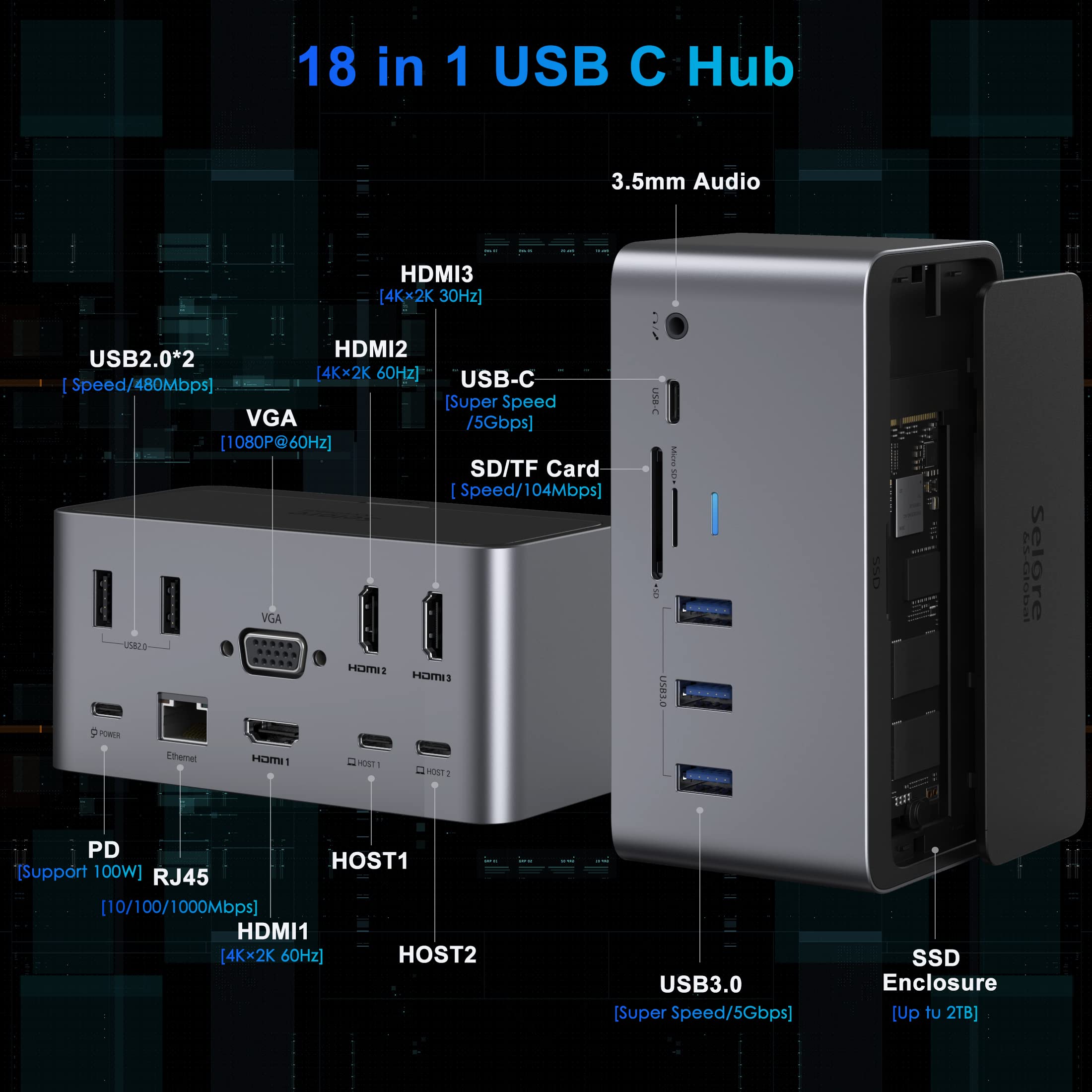
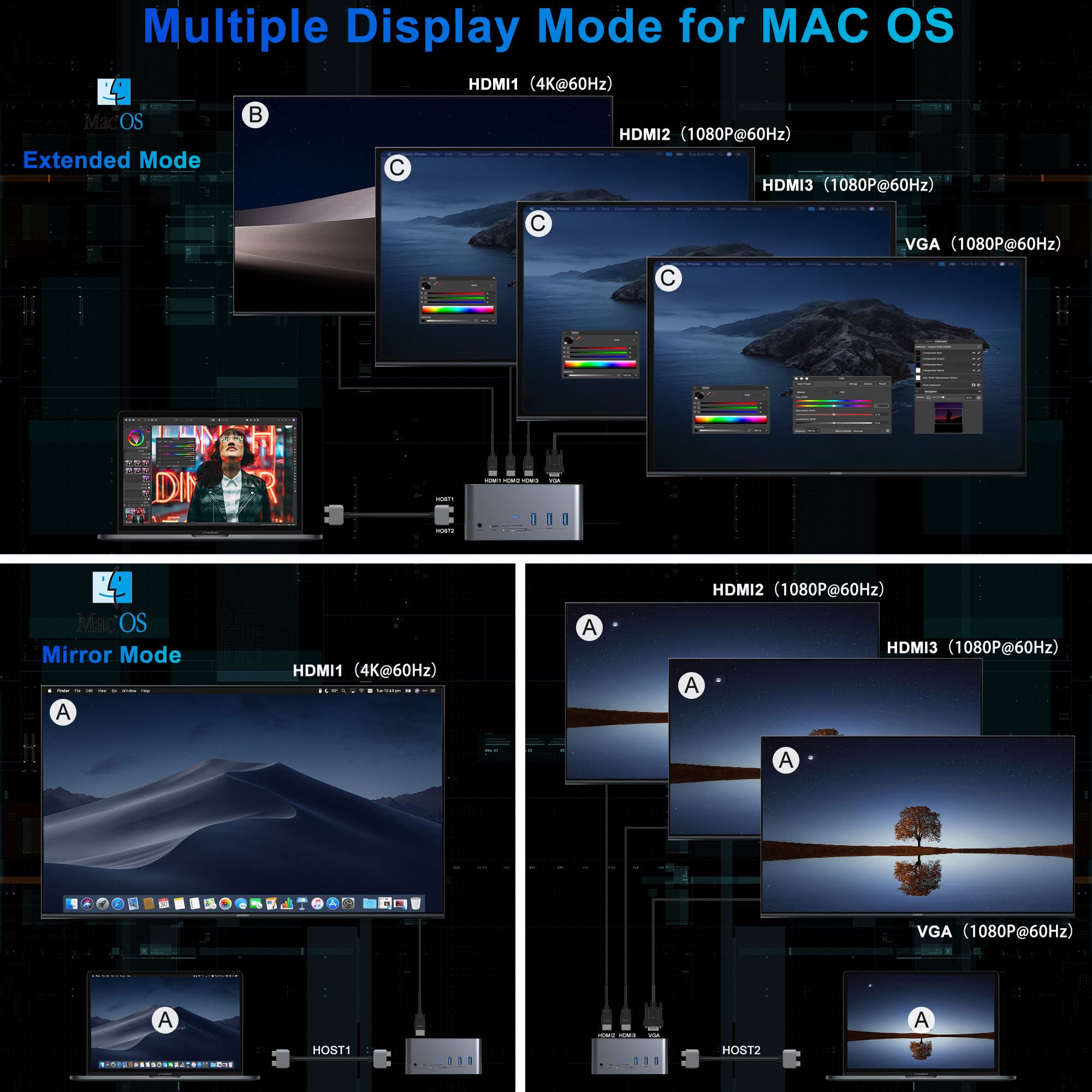
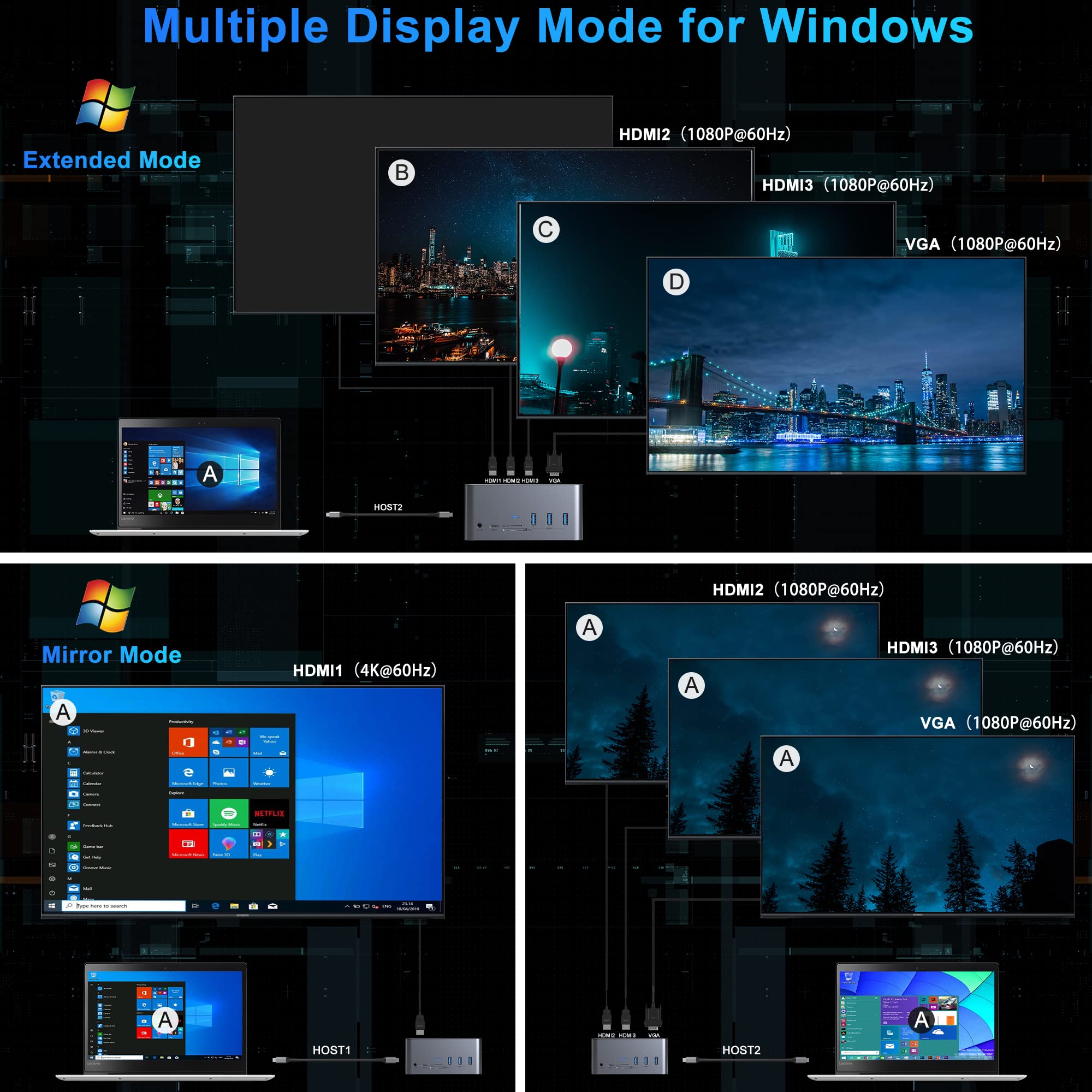
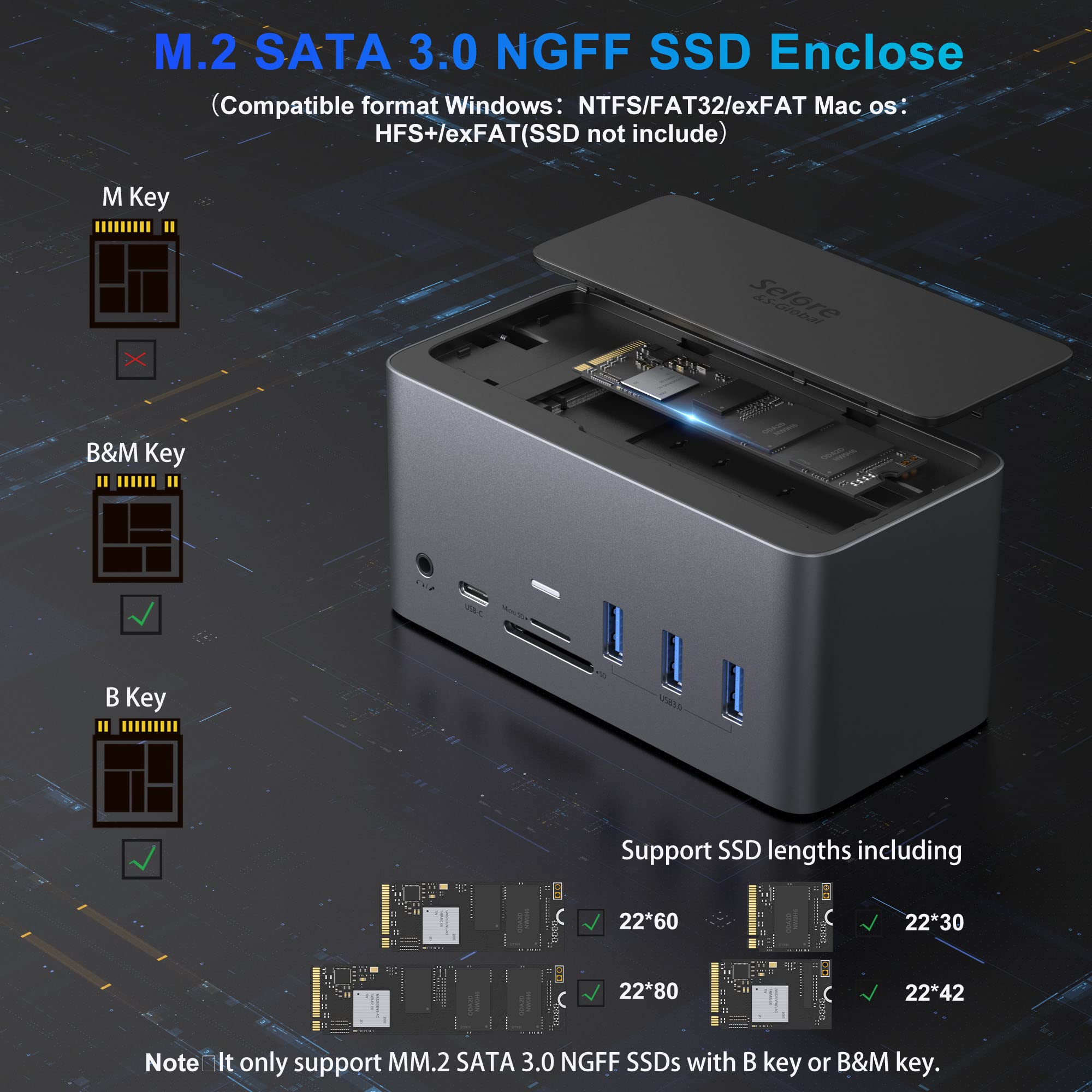
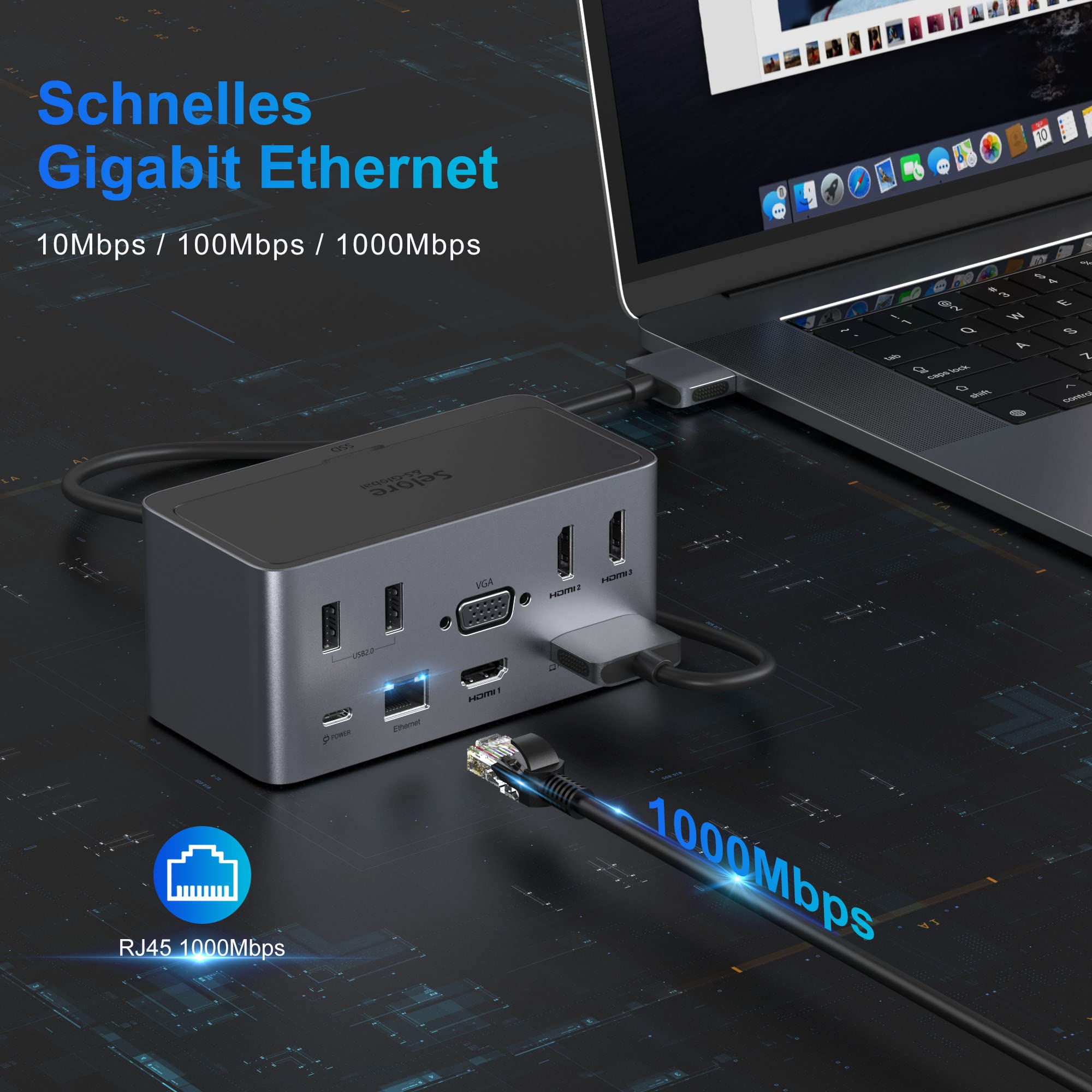
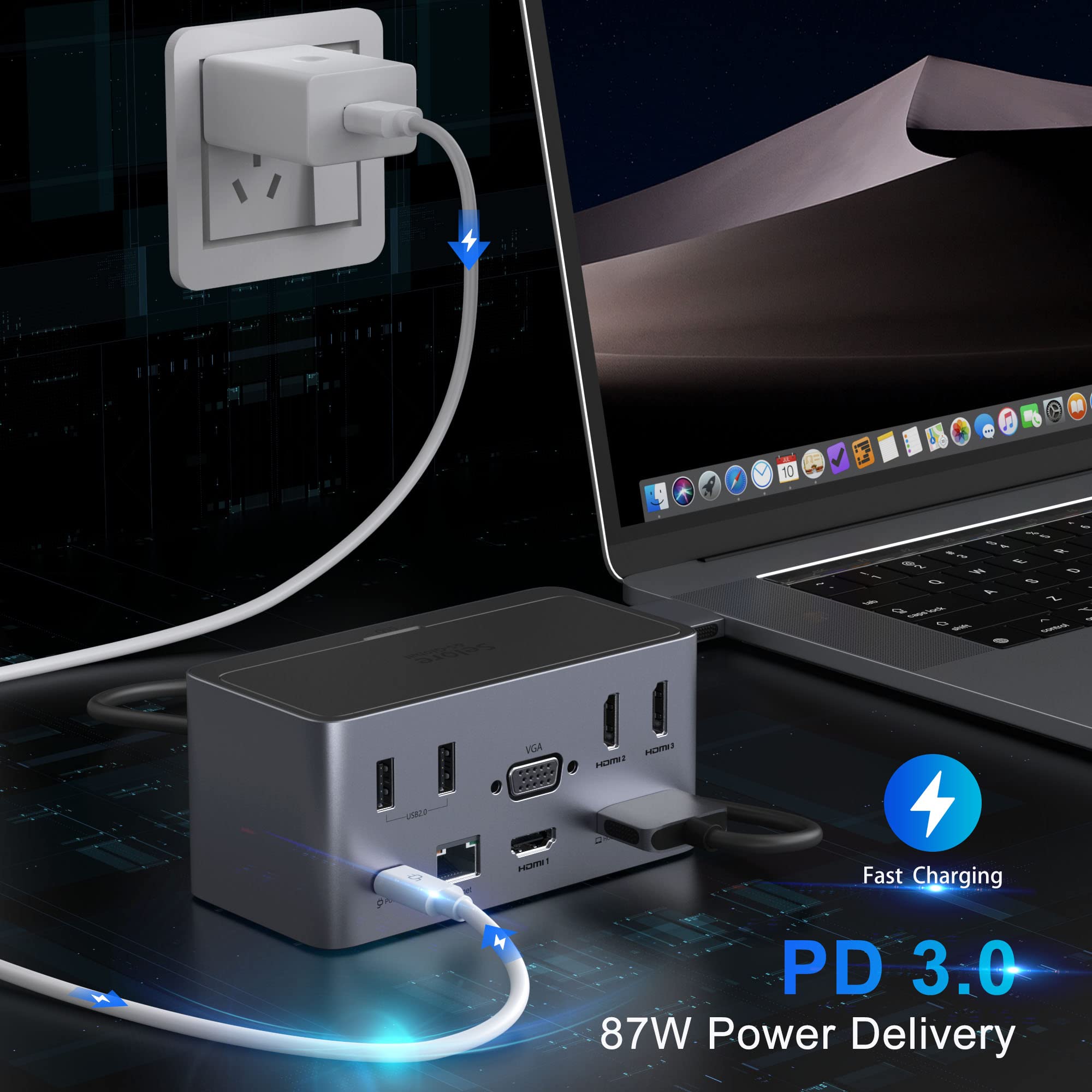
🔗 Connect More, Do More – Your Ultimate USB-C Hub Awaits!
The Selore&S-Global USB C Docking Station (model SEDK0104) is a lightweight, versatile docking solution designed to expand your laptop’s connectivity with universal USB-C compatibility and multiple USB 3.0 ports for fast data transfer. While it supports multi-device setups, optimal performance depends on your laptop’s hardware. Ranked #3,001 in Laptop Docking Stations, it offers a compact design and responsive customer service for replacements, making it a practical choice for professionals seeking to streamline their workspace.


| ASIN | B09573939X |
| Best Sellers Rank | #414,069 in Electronics ( See Top 100 in Electronics ) #3,001 in Laptop Docking Stations |
| Customer Reviews | 3.4 3.4 out of 5 stars (164) |
| Date First Available | May 30, 2021 |
| Item Weight | 1.28 pounds |
| Item model number | SEDK0104 |
| Manufacturer | Selore&S-Global |
Z**S
Great product
For some strange reason, this keeps cutting off while in the middle of a project. Update: I contacted customer service and a replacement was sent. I am amazed how this replacement actually worked better than the last. No cutting off at all, works perfectly fine. Great product.
P**T
I was legitimately concerned about losing my data and damaging my hardware.
I had purchased this because I was lured by the possibility of being able to upgrade with an internal SSD. Previously I had been using a less expensive equivalent and thought I would be able to display four screens at once as it advertised. Incorrect. First you need to ensure that your machine is compatible or has a the correct graphics card to do so. If you don’t this does not display 4 screens. The second night I used it, I was transferring data from an internal drive to external storage that was plugged in using the 3.0 ports and it just completely crashed by ejecting the external hard drive in an unsafe manner and also caused Windows to force a reboot. As I was using it I was noticing that my apps within windows (like file explorer lol) my what used to be fast laptop to being slower than usual. I had been using the less expensive ($60 less to be exact) equivalent for several months without any issues and immediately switched back. The first indication I knew I made a mistake was the lack of support from the documentation provided, finding a website for the company with a terrible UI and incorrect grammar within the instructions. Buyer beware.
D**8
Doesn't do dual 4k
I bought these hoping to get dual 4k. I guess technically it did display dual 4k, but one of the two monitors blinks off every so often. Depending on the cable orientation you might be able to get it to only blink once a minute or so. But after restarting your computer, it will then happen every few seconds. It basically renders one of the external monitors useless. I bought two of these, and used them on two Macbook pros. It happened to both. I was able to get it to not happen if I used the single cord from host1 to one port on the mac, and the other single cord from the other device to host2. But, using the dual mac cord, the monitor would blink on and off. I really wanted to like this. If you only need 1 external monitor, I would recommend. I tried this on my Windows laptop(s). I couldn't get dual 4k on two separate computers. I could get 1 4k, and another output of 1920X1080, but could not get dual 4k. No matter what I tried, no matter what the refresh rate was. Since I was looking for dual 4k, I can't rate this any higher. Like I said, if you only want single 4, or dual 1920X1080 (or similar) it is a great docking station. I love how many ports and the variety of ports that it has.
P**L
Finally a docking station with a long cable
Compact design with a lot of ports. I really like the USB-C cable provided in the box. The cable is long enough allowing me to place my laptop further away from my work area to keep my space clear. Most of the other docking stations have the cable way too short to my comfort. I am able to use both of my monitors with the HOST2 port on the docking station. The USB keyboard, mouse and webcam, and the ethernet are all working. The docking station can function without a power supply. If you wish to use the power delivery, you do need to connect the docking station with an external power supply. The USB-C cell phone charger won't be powerful enough to charge the laptop through the docking station, but the USB-C laptop power supply will. I am able to charge my Dell Latitude with the laptop power supply connected to the docking station.
J**Y
Ethernet keeps disconnecting
When I first got this, it was perfect for my new Dell Inspiron 14 5410. Worked well and great size. Unfortunately, it does not come with the power adapter. I had to purchase a USB-C power adapter separately. Regardless, it was a great buy for the first couple of weeks with no issues. Worked exactly the way I wanted it to. Even charged my laptop. Unfortunately, after a couple of weeks, the network would disconnect and reconnect itself. I keep going from wired ethernet to wifi and then back to wired ethernet. Thinking that maybe it was caused by a Windows OS update, I plugged in my Macbook Air into it and experienced the same issue. I went to the manufacturer's website to see if there may be new drivers for the device, but the manufacturer's website is incomplete, no drivers listed, and this device is not listed either. Not sure if everyone is experiencing this issue, but I sure am. For those that are not, this really is a great docking station.
J**O
This is a review for this docking device.
Do not buy this product, it worked for one month and after that all of the USB ports stopped working, 2 weeks after that the HDMI ports started to die one by one. This is not good at all.
S**T
Great Device, Well built!
I use this dock station for work and it’s been great! I decided to buy my own to use at home as well. The only thing that’s a little sad is that I can’t put my Samsung 980 pro NVME M.2 in the drive slot. I just bought a sabernet usb device for that. This product is built with good materials so it feels nice and sturdy. I have never had any issues with connections on the device as well.
J**N
Flexible. Plenty of ports.
Great for MacBook Air or Pro. Expandable. No extra power supply needed. Compact.
A**R
Wokrs well with my 2020 Imac !
J**N
Beau potentiel, mais qu'il saute après seulement 4 mois. Je crois qu'il à des composantes problématique.
A**R
the screen was always flickering with this docking station... tried multiple time but i wasnt trusting it at the end.... I switched back to old one and everything was ok...
C**A
This is generally a good docking station. The chassis is well made and looks nice and sleek with well thought out IO pointed outwards and the appropriate ones (including a few USBs for mice/webcam on the back). I love how convenient this setup is for my work from home setup as it is the cleanest solution out there. There are some limitations to this dock that are documented in the product photos which does make it hard to recommend this to everyone - you do have to carefully consider whether it works for your use case. It works well if you like using your work computer and home computer at the same time though arguably, you may be better served by just getting two docks at the expense of some clutter. The functionality of the dock is good though. It has been stable for me.
J**A
Tal vez si tienes Mac funcione, pero ppr mas que conecte a 2 puertos thunderbolt o a la electricidad logre hacer funcionar el dispositivo para proyectar en los 4 monitores. En fin.
Trustpilot
2 months ago
1 month ago