
DOWNLOAD THE APP


Customer Services
Copyright © 2025 Desertcart Holdings Limited
DOWNLOAD THE APP


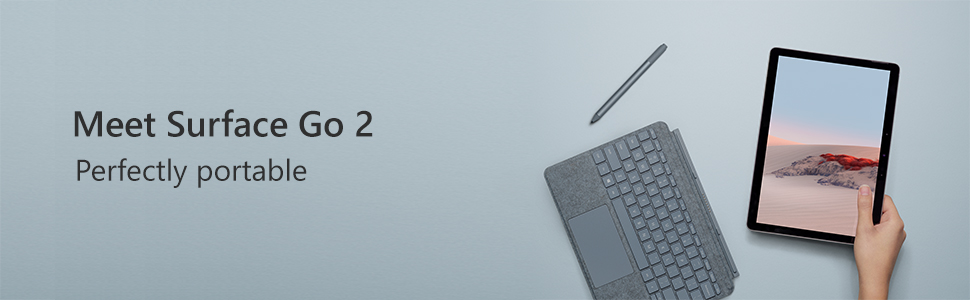
🚀 Surface Go 2: Power, Portability & Prestige in Your Palm
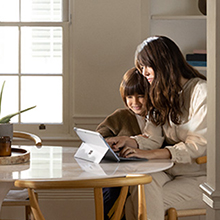
The Microsoft Surface Go 2 combines a vibrant 10.5-inch Full HD touchscreen with a lightweight 1.2-pound design, powered by an Intel Pentium Gold processor and 8GB RAM. With up to 10 hours of battery life, USB-C connectivity, and crisp front and rear cameras, it delivers versatile tablet-laptop functionality perfect for professionals and creatives seeking mobility without compromise. Includes a free Windows 11 upgrade for cutting-edge performance and security.








| ASIN | B086QQNRT4 |
| Age Range Description | Adult |
| Aspect Ratio | 4:3 |
| Battery Average Life | 10 Hours |
| Battery Capacity | 10 Amp Hours |
| Battery Cell Type | Lithium Ion |
| Battery Power | 10 Amp Hours |
| Best Sellers Rank | #179,939 in Electronics ( See Top 100 in Electronics ) #2,549 in Computer Tablets |
| Brand | Microsoft |
| Built-In Media | Power Supply, QSG, Tablet |
| CPU Model Number | Pentium |
| CPU Model Speed Maximum | 4.2 GHz |
| Camera Description | Front, Rear |
| Cellular Technology | 4G |
| Color | Silver |
| Compatible Devices | Keyboard |
| Connectivity Technology | Bluetooth, Wi-Fi |
| Customer Reviews | 4.4 out of 5 stars 1,195 Reviews |
| Display Resolution Maximum | 1920 x 1280 Pixels |
| Display Type | LCD |
| Frame Rate | 60 fps or higher |
| Front Photo Sensor Resolution | 5 MP |
| Generation | 2nd Generation |
| Global Trade Identification Number | 00889842593686 |
| Graphics Coprocessor | Intel UHD Graphics 615 |
| Graphics Description | Integrated |
| Hardware Interface | Bluetooth 5 |
| Headphones Jack | 3.5 mm |
| Human-Interface Input | Touchscreen |
| Item Dimensions L x W x Thickness | 9.65"L x 6.9"W x 0.33"Th |
| Item Weight | 1.2 Pounds |
| Lithium-Battery Energy Content | 26.8 Watt Hours |
| Manufacturer | Microsoft |
| Memory Slots Available | 1 |
| Memory Storage Capacity | 8 GB |
| Model Name | Srfc Prjct V-6 SC EN/XD US/Canada Hdwr Platinum |
| Model Number | STQ-00001 |
| Model Year | 2020 |
| Native Resolution | 1920 x 1280 pixels |
| Number of Rear Facing Cameras | 1 |
| Operating System | Windows 10 Home |
| Photo Sensor Resolution | 8 MP |
| Processor Brand | Intel |
| Processor Description | Intel Pentium Gold |
| Processor Speed | 1.7 GHz |
| RAM Memory Installed | 8 GB |
| Rear Facing Camera Photo Sensor Resolution | 8 MP |
| Screen Size | 10.5 Inches |
| Sensor Type | Accelerometer, Ambient Light Sensor, Gyroscope |
| Supported Audio Format | MP3, WMA, AAC, FLAC, ALAC, WAV |
| Total Usb Ports | 1 |
| UPC | 889842593686 |
| Unit Count | 1.0 Count |
| Video Capture Resolution | FHD 1080p |
| Video Processor | Intel |
| Warranty Description | 1 year manufacturer |
| Warranty Type | Limited |
| Wireless Compability | 802.11ax, Bluetooth |
| Wireless Technology | Wi-Fi |
A**E
Great little device and a real versatile machine
I'm using the Gold processor with 8 gb of ram wifi only. I never understand the bash about this processor. It handles spotify, web browsing, installing updates or Office workflow just perfect. This isn't the fastes neither the smothest experience, but for the size, price and overall experience, it just works. Fluid and decent Battery life is around 7 or 6 hours using 75% brightness and just wifi. But you can improve battery life with just moderate usage. Great screen, it looks nice and clean, sound is also great, not crazy loud but decent with clear voice and audio. Camera is top, better than many laptops. I would recommend a keyboard, The official one. Add a great value as a small computer but also work as a case for tablet use. I understand people using Apple for the great apps and amazing product quality, same with Samsung and the best speakers and screen outhere. But this device stay behind in those aspects but still it has a great screen and great media consumption experience. Surface give you the chances to use this tablet as a small full laptop with real desktop apps and it totally defeats Samsung and Apple. If you ever hesitate about purchasing this device, but maybe in the future you are planning to use a tablet as a small personal computer. This is the device to go. I'm writing this review using Surface Go 2 with Windows 10 Pro. Still perfect
S**M
Fast, Fast, Fast
Outstanding product. I have really enjoyed using it. I loaded up my subscription to Windows 365 and to Norton Utilities/VPN. Neither slowed this PC down. Weight is not a problem. Relatively easy to work my online check book and an excel sheet at the same time. The only problem I have had is the charge outlet. The PC and charging cable do not always automatically connect leaving me to 'fool around' with getting a connection. Then if I move the PC like from my lap to a side table the connection will sometimes fail and stop charging. Secondly, do not lose the charger and connected cable. If so, a new charger/cable will have to be purchased. Battery life: exceptional.
J**S
Great lightweight computer!
When I was upgrading from my Surface Go original, I looked at comparisons of the 2 and 3. Since the 3 was a minor upgrade from the 2, I saved a few hundred bucks by buying the 2. I haven't been disappointed! I began by using it for research and writing at the National Gallery of Art in DC, but it worked so well it's now my primary computer at home as well. Of course, I'm not a gamer, and I don't edit videos, etc. I primarily use Word and Note, , Gmail and Chrome, and do online research. I just slip it easily into a small computer bag to take on the road and put it back on my desk at home. Works like a dream. I also use the stylus all the time to write comments on PDFs and Word documents. Totally satisfied that I didn't pay extra for specs and capabilities (and weight) I didn't need.
R**K
Buen producto
Todo como ilustrado
L**K
Great mini-computer
I got this for my wife, as she needed something more then a tablet for opening and editing documents and responding to email and other social media for her business. This has worked out great so far. her tablet was an android and it has taken a little adjustment to use a Windows product, but you can get a Android emulator that run on the Surface and allows you to run Android apps. Highly recommend a Bluetooth Mouse and Keyboard, as it is fairly difficult to use with just the keypad and stylus pen (option). It is really nice how you can use the stylus pen to write, just like to write with a pen and it types out the message for you. Also highly recommend you do not use "S" mode, which only allows you to down load apps from the Microsoft store. There are a lot of apps not in the Microsoft store. It is easy to do this, just search for setting up Microsoft surface to not run s mode in windows 10. Good device, with some of the usual Microsoft limitations, but you have options !
S**R
The case when the statement "like new" is 100% true
Using it as a backup for my work laptop - for cases when you are out of home, still need a full functionality with win10 (11) but don't want to bring the laptop with you. 8gb ram is enough, disk is fine + you can easily insert extra sd cards or sdd via usb3 port. The procession is a bit sleepy, so if you need graphics editing or other resource hungry apps running on it, it probably not fit you( I am mostly connecting to the office desktop via RDP and work through it in such scenarios). But at the other hand , the battery life is insane - 10-11 hours of actual work on one charge - at the next generation (Surface Go 3 with i3/i5) it is about 2.5 times lower than that! So so far I am very glad with my choice, not the cutting-edge stuff, but for the price of a simple tablet, it's more than I've been asking for
M**T
Not a big fan of Apple but my 10yo iPad is way better
I use this mainly to do bodyshop estimates with within an estimating app so I use it as a camera and a link to other estimates. The estimating company doesn't "support" Apple products so when it was time to upgrade from an old ipad I decided to go with a "supported" windows device. I know new stuff sometimes takes time to get used to but after 2 weeks of this I cant handle it anymore. The constant restarts, the goofy camera that changes orientation on its own for no reason, the fact that the screen changes orientation even when it's locked to vertical, the slow startup time, the ridiculously short battery life when it gets used maybe 3 hrs a week and needs a recharge weekly. This has no redeeming value to me over the old ipad. I purposely stay away from Apple products because I like keeping everything the same in my life (Android, PC) but this Surface thing is terrible. I'll unfortunately be going back to the old Ipad - what a relief.
M**N
Great purchase for a secondary laptop
This laptop is very functional for a secondary device that I can carry around the house and do tasks such as email, chats, etc. I am still using windows 10 s mode which is limited. However, the mail app and news app are great. I am using the tablet with a type signature keyboard and a pen, and its a perfect little device that I plan to use during my commute when WFH ends. I am also an avid gamer, and the Xbox companion app works great to stream your Xbox to the tablet and play games. I think xcloud will be a game-changer as the screen is crisp. Overall, very happy with the purchase, but its not very powerful to do tasks such as development.
Trustpilot
1 week ago
2 months ago