
DOWNLOAD THE APP


Customer Services
Copyright © 2025 Desertcart Holdings Limited
DOWNLOAD THE APP


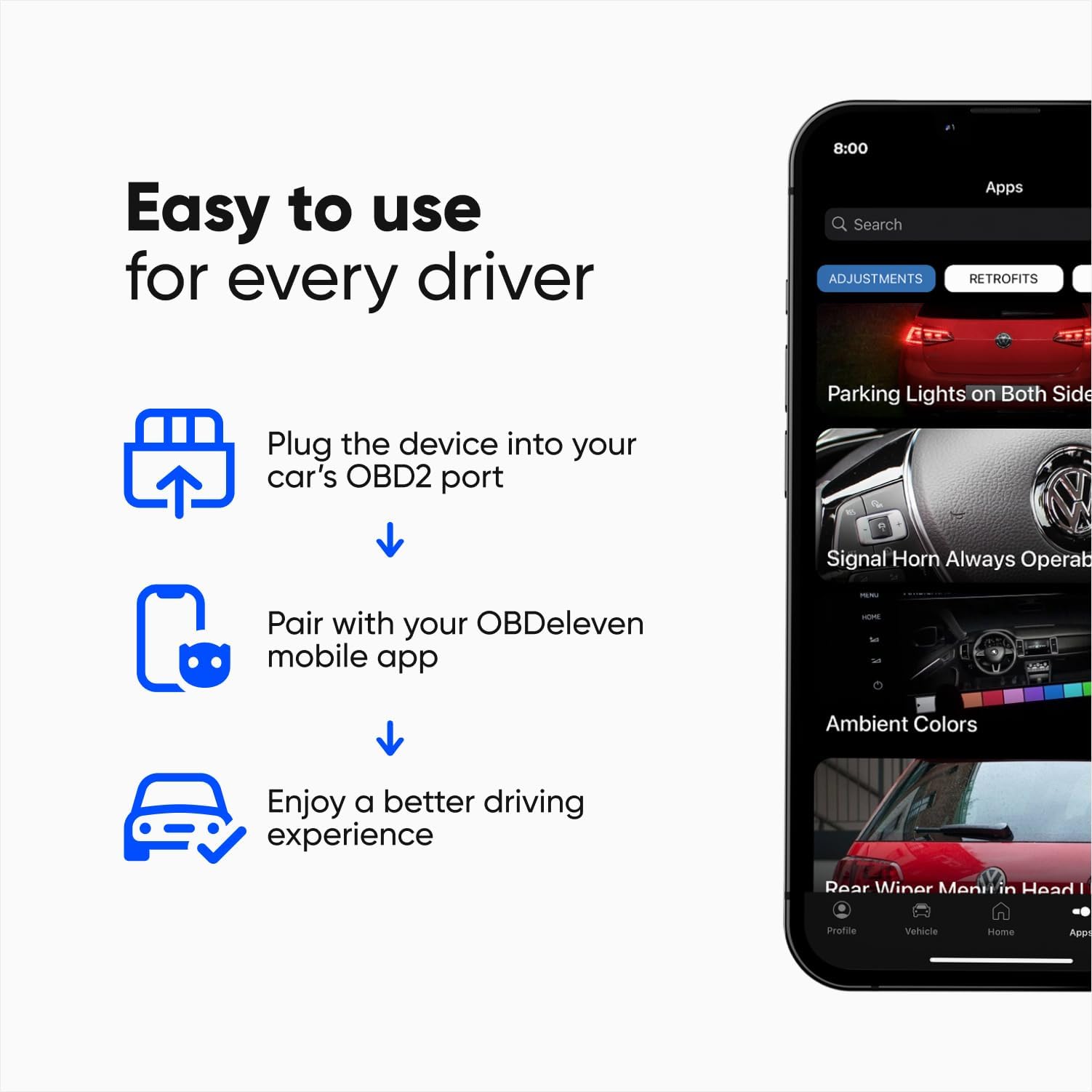

🚀 Drive smarter, not harder — your car’s secret weapon!
The OBDeleven OBD2 Diagnostic Tool Pro Pack is a compact, Bluetooth-enabled device designed for Volkswagen Group and Toyota vehicles. It offers advanced diagnostics, coding, and customization features via an intuitive mobile app compatible with Android and iOS. With a 12-month PRO VAG plan, users gain exclusive access to SFD-locked functions and thousands of one-click apps, enabling professional-grade vehicle maintenance and personalization without costly garage visits.


| ASIN | B00OTG9KGG |
| Best Sellers Rank | #7,283 in Automotive ( See Top 100 in Automotive ) #63 in Code Readers & Scan Tools |
| Brand | OBDeleven |
| Brand Name | OBDeleven |
| Customer Reviews | 4.0 out of 5 stars 8,359 Reviews |
| Included Components | OBDeleven Next Gen Device And Pro Pack |
| Item Dimensions L x W x H | 1.57"L x 1.57"W x 0.78"H |
| Language | English |
| Manufacturer | Voltas IT |
| Manufacturer Warranty Description | 2 Year Manufacturer |
| Operating System | Android, iOS |
| Power Source | OBD II Port |
| Product Dimensions | 1.57"L x 1.57"W x 0.78"H |
| Screen Size | 2.8 Inches |
| UPC | 758277987813 |
A**R
Outstanding Diagnostic Tool - Worth Every Penny
The OBD11 Gen 2 is an excellent diagnostic and coding device, especially for VAG vehicles. I’m using it on my Audi S3 Stage 2, and it performs flawlessly. It provides fast and accurate fault-code reading/clearing, real-time live data, and access to advanced control modules. The coding functions and one-click apps are very useful for fine-tuning vehicle settings, monitoring parameters, and verifying system behavior after modifications. Bluetooth connectivity is stable, the app is well-designed, and response times are quick. For tuned cars, it’s extremely helpful for diagnostics, data monitoring, and avoiding unnecessary dealer visits. Highly recommended for enthusiasts and technically minded users.
I**H
Must Have for VAG owners
I bought the OBDeleven mainly to diagnose a stubborn check engine light on my VW, and honestly, I’m mad at myself for not getting it sooner. Setup was super simple, I plugged it in, connected through the app on my iPhone, and within seconds I had a full breakdown of the fault codes. No more guessing or paying a shop just to tell me what’s wrong. What I really like is how clean and intuitive the app is. It doesn’t overwhelm you with a bunch of confusing data, but if you want advanced info, it’s there. I was able to clear a minor sensor code and double-check that it didn’t come back. Also tried some of the customization features (like turning on needle sweep) and they worked without any drama. The device itself feels solid and well-made. The compact size means it fits nicely in the OBD port without getting in the way. Bluetooth connection was stable the entire time, which is more than I can say for some other scanners I’ve tried. My only complaint is that some advanced features require “credits,” which you either earn or buy, but it’s not a deal breaker. Even the free/basic functions are worth the price. Overall, if you drive a VW, Audi, or any of the other supported brands, this is absolutely worth it. Saved me time, money, and a lot of frustration. Highly recommended.
C**M
Unable to Activate Required Software, nor receive Technical Support
I purchased this product, after doing research, to assist with a rear electronic parking brake maintenance matter on an Audi SQ5. The product came in a very nice package and seemed to be of very high quality. To use this product, a Smart Phone such as Android is necessary as expected. Using my very recent Samsung device, I downloaded and installed the OBDEleven App which was quick and efficient. Using this app to connect to the device proved to be impossible due to a lack of available support. The reason is that the Android App REQUIRES a successful activation procedure to be completed. This procedure requires the consumer to enter their email address and await an activation code which would then be used to activate the App. Unfortunately, no code nor arrived. The procedure was repeated 3-4 times over a 24 hour period. Still no code. SPAM/Junk folders contained no email, and address entered verified as correct. Realizing this could happen for various reasons, I decided it best to simply contact tech support. Contacting support using the in-app method takes one to the obdeleven.com website. Support options there during the US business hours are via a Chat, which appears staffed, but is actually a Chat Bot. The chat bot was unsurprisingly not useful. Another attempt was made later in the day to request support via [email protected]. An email was sent, but not responded to. A third option was to request support via the website through submission of a question. A question was raised seeking activation help where my phone number with country code was provided. There has been no response more than a day later. I did also review a tiny paper document where I found the website location for the user manual. This website opens fine, but the manual renders in a blank form. No manual. It may have been hosted from a site blocked by my employer, not sure. But simply making a downloadable PDF available would have been a nice option if not including documentation with the product purchased. In closing, I was unable to use this product to complete my car repair as planned as no timely help was available from the manufacturer (and still no contact as of this review)
S**R
Essential for DIY Maintenance Tasks
The OBD11 device totally met my needs. I found that it was fairly fast scanning and fairly easy to use as well. I was looking to reset the service required notification on my 2015 Audi A6 which can only be reset with a scan tool. Scan tools that can reset the service required notification can cost $300 to $600. The entry level OBD11 with 10 credits I was able to reset the service notification and have credits left over for a little over $100. This makes the OBD11 a reasonably good value for the money. I was also able to do a scan on all the computer systems of the A6 which revealed no faults after 80,000 miles. My other two vehicles are a Lexus LS 500 and a Lexus TX 500h. The OBD11 is also compatible with reading Toyota/Lexus fault codes. After OBD11 releases the update to scan hybrid batteries, I am in excellent shape to do light scheduled maintenance (oil and filter changes) on all of my vehicles. The ability to do diagnostic scans together with links to fault code troubleshooting tips in the OBD11 scan tool output allows me an excellent view of the the health of my vehicles and ideas about how to troubleshoot fault codes that might be present. Overall, I am pleased with the purchase for DIY maintenance tasks.
M**Y
Awesome tool
The product is pretty cool. I have an Audi TT and needed this to reset my annual inspection interval and for the parking brake calipers for a rear brake change. The app told me the entire history of warnings and identifies if they are past warnings or active so I get a nice history of my car. There are so many apps and options to help improve performance of the car and even little things like calibrating my automatic windows. You do have to purchase credits from the website to override any service Intervals and such but they were relatively inexpensive. I also love that I can use this for my kids’ cars as well. The only issue I had is that someone had used and returned the product I received. The product makes you setup a PIN and it had the other person’s information so I had to reach out to customer service through the app and they reset the device for me. I also originally downloaded the ObDEleven VAG app (for German models) but it had me download the newest app which was just OBDEleven. It doesn’t really come with instructions but it is fairly intuitive. Download the app and it will walk you through the process.
S**.
Powerful and Convenient OBD2 Tool for DIY and Enthusiasts
⭐⭐⭐⭐☆ (4/5) – Powerful and Convenient OBD2 Tool for DIY and Enthusiasts The OBDeleven OBD2 Diagnostic Tool is an impressive piece of tech for anyone who wants more control over their car’s diagnostics and customization. Setup is straightforward: plug the device into your OBD2 port, connect via Bluetooth to the app, and you’re ready to scan or tweak settings. What I really like: • User-friendly app that makes it easy to read and clear fault codes, even for beginners. • One-Click Apps are great for enabling hidden features (comfort windows, lighting options, etc.) without needing to know complex coding. • Advanced functions like live data monitoring, control unit adaptations, and coding are very handy for deeper diagnostics—especially on VW/Audi/Skoda/Seat vehicles. • Wireless design means no bulky scanners—just your phone. What could be better: • Some features are locked behind Pro subscriptions or credits, which can get costly if you use advanced coding often. • Vehicle support is strongest with Volkswagen Group cars; non-VAG owners will mostly just get basic OBD2 functions. • You do need to be careful—changing coding or adaptations without understanding them can cause issues. Overall, OBDeleven is a fantastic tool if you want more insight into your car and enjoy having dealership-level diagnostics in your pocket. For casual drivers, it’s probably overkill, but for DIYers, tuners, or anyone driving a VAG car, it’s worth the investment. -Sean Z.
F**K
Excellent Product
The device worked perfectly.
K**E
One major issue (repeated lock-ups with the iPhone app) and a few minor gripes
Based on the information I could find about OBD2 scanners/programmers compatible with VW/Audi, I chose the OBDeleven. I have prior experience with this kind of equipment and specifically with Audi. Specifically, I used VAG-Com (now VCDS) on and off over a period of 14 years, with the S4 that I bought in 2000. My decision to return the OBDeleven was motivated by the overall experience, but was particularly motivated by the fact that the app running on the smart phone (iPhone) repeatedly froze. The total number of times this happened was more than five and close to ten, which means that it was several times greater than the number of different things I tried to do. A possible explanation is that the app was stuck waiting for a response from the in-vehicle module, which the module never sent. BUT, one common type of software error that often evades detection during testing is when the response received (or value read from a file) is out-of-the-ordinary and the programmer only considered the in-the-ordinary cases. It is not acceptable for the app running on the phone to lock up when this happens (or for the app to remain indefinitely in the state where it is waiting for a response that is never sent). This app is an essential component of the package you buy, never mind that you obtain the app separately, i.e., from the app store. If this had happened just once, or just twice, or maybe even three times, I would have overlooked it. The number of times it happened was well in excess of what is reasonable. Each time this happens, you have to close the app (fully) and relaunch it. Each time you do this, you have to wait another minute or two for the connection process to complete. Even if this process were to take just five seconds, this still would not be acceptable (if it occurred frequently, as it did for me). Other than professional mechanics who use these tools on a daily basis and who are intimately familiar with the ins and outs, anyone who buys either OBDeleven or VCDS will find it necessary to seek help on the respective community forum. This is something that is taken for granted, with both of these competing products. The difference between the two forums is enormous, and I believe that this is something that needs to be taken into consideration by anyone mulling the decision of which one to purchase. When I visited the VCDS forum, the latest post was from someone who had posted a full vehicle scan taken with OBDeleven. He was told that because the scan was an OBDeleven scan, he needed to post it to the OBDeleven forum. His response to this was very rude. There was a brief back-and forth before he was swatted away. My guess is that he already knew that it would be useless to post it on the OBDeleven forum because he had already done that. My main reason for buying one of these products is that I wanted to clear the “Inspection Due” notification message that appears on the instrument cluster of my Audi each time I turn on the ignition. In the OBDeleven community forum, I found a succession of posts by various users who did not all share the same understanding of how to do this simple thing. Fortunately, I was able to find the information I needed, elsewhere. I needed to change just two values: “Distance covered since last … inspection”, and “Time since last … inspection”. It was easy learn the module for this (17), and also that this is done via Adaptation, as opposed to Long Coding. When I tried this, OBDeleven reported that it failed. I now know that in order for this to have worked, I needed to have first changed the Service setting in the OBDeleven app, from the default setting to “Dev”. Trial and error was the only way to learn about this. Before I figured it out, I sent a message to OBDeleven support asking for help. They advised me to buy the right to use their “One-click app”. I was annoyed by this because, in the Amazon product page for the OBDeleven, there is no clear wording of the fact that even if you pay extra for the Pro version, that additional fees apply each time you use of one of their many “One-click apps”. Because they advised me to use this app, my natural assumption was that the adaptation would succeed. The cost was meager, so I decided that this would be the most expedient way to get this over with. After verifying that the necessary credits showed up in the OBDeleven app on the phone, I proceeded with the one-click app. It did not work. The most likely explanation is that this “one-click app” (which is a silly name for a simple macro) did not work for the same reason that my attempt to do the adaptation didn't work, i.e., for my particular model and model year (and possibly for others) the one-click app needed to change the Service setting (but didn't). The layout of the OBDeleven iPhone app (VAG variant) is very good overall. However, I was annoyed by the need to scroll through many screen pages filled with pretty pictures, to find the particular module I needed to find. Only four of these pictures fit on the screen at one time, which is why you have to scroll through a bunch of screens to find the one you need to use. This was the only issue I encountered with the screen layout of the OBDeleven app. This is only a minor annoyance, but it is completely unnecessary. On their web site you can find some tutorials. They are mostly screen snapshots with a little bit of extra doodling. I spent some time going through these tutorials, and for me, they were confusing. I don’t think that the effort that had been made with the tutorials was a strong effort. There were several places within the tutorials where the module being used for the tutorial abruptly changed, which made the tutorial confusing, especially with respect to nuances that are module-specific. The bottom line is that the overall experience was frustrating. The reasons for the frustrating experience were several, but the reason that was the back-breaking straw for the camel was the iPhone app's habit of locking up. (Deleted the remained of the prior version of this review, because the remainder was concerned with a potential issue with the return, which thankfully did not arise.)
Trustpilot
3 days ago
1 week ago