
DOWNLOAD THE APP


Customer Services
Copyright © 2025 Desertcart Holdings Limited
DOWNLOAD THE APP

⚡ Power your home network like a pro—fast, simple, unstoppable!
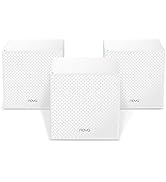
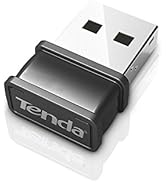
The Tenda AV1000 WiFi Powerline Adapter Kit (PH10) leverages your home's electrical wiring to deliver up to 1000Mbps wired speeds and AC650 dual band WiFi. Featuring plug-and-play setup and Wi-Fi Clone technology, it ensures seamless, unified coverage ideal for HD/3D/4K streaming and gaming, eliminating dead zones with gigabit Ethernet ports for ultra-fast wired connections.








| ASIN | B07S5BTMQY |
| Best Sellers Rank | #178 in Powerline Network Adapters |
| Customer Reviews | 4.1 4.1 out of 5 stars (1,751) |
| Date First Available | June 11, 2019 |
| Item Weight | 1 pounds |
| Item model number | PH10 |
| Manufacturer | Tenda |
| Product Dimensions | 4.33 x 2.36 x 1.25 inches |
R**G
Works like a charm.
I already had the non Wifi version of this hooked to my power lines for Ethernet. I just wanted a simple way to extend the regular Wifi into another area of the house. This worked perfectly. The only thing that takes a bit of time is changing the default SSID and password to a custom one.
J**B
NOTHING COULD BE EASIER!
I bought this unit yesterday. This is the easiest electrical device I've ever put used. It literally took me all of 5 minutes to do it. I've now been rewarded with FAST internet speeds throughout the house and the pleasure of owning an electrical device that has lived up to every promise. With this device you only need ONE wifi name and password - that automatically comes from your wifi router - no computer app setup at all - just connect a wire and push a couple of buttons and plug the 2nd module where the wifi signal is the worst and you're done. Afterwards as you travel through your house, you'll not have to switch your various devices to the extender wifi network, AND, if you have a remote desktop, the second module can be plugged in next to you computer and you can run an ethernet cable from the module to your computer. It's EASY! I wish that I had bought one of these units YEARS ago. No more buffering while watching movies or YouTube. It's almost as easy as plugging your telephone into a wall jack. This is an AAAAA+++++ product!
M**.
Issues with setup
So had some initial setup issues, and wifi strength where this is placed is not always great, but overall better than before it was installed. It also would not work on the two most convenient outlets in my office, it had to be plugged into the wall my book shelf is on, so can't use the cat5 jack.
A**S
Limitations of power circuit severely limit speed.
This is a good unit for this type of technology. While this is a gigabit device and the transmission light was green, the best speed I achieved was 50 Mbps. See, while "logically" the home electrical wiring is a "single network" each floor may have different circuits and the signal has to travel throughout as many circuit breakers which severely affect speed. In my case, I have a large home so this type of extention technology does not work well for me. Now, it may work well for your conditions. My target area in my house suffers from poor wifi signals despite having installed a Mesh network....wifi strenght varies by its own nature, so any wired solution is better in maintaining a constant connection, and the Tenda unit did this well, but speed suffered. I got technical support and the explanation was as described, not good enough for my application.
R**G
didn't work everywhere, but probably not the fault of the device
We had two spots where we wanted wifi, but where an older (pre-AV2 standard) powerline adapter I bought a few years ago would not connect. One was our porch, and here the Tenda AV1000 kit worked well. (It even worked on a 6ft extension cord but the speed dropped sharply.) The other spot is our detached garage, in order to get wifi to our cars' head units. This device would not pair there, even after I bypassed the GFCI. However, the power line is ~100ft of old buried cable, and who knows how well shielded it is, so I can't really blame Tenda. One thing to note is that the power pins are positioned close to one edge, such that the other outlet in a pair of wall power outlets remains available. Many TP-Link and other models will wholly or partially cover the second outlet. The internal web page of the Tenda is almost identical to similar pages for TPLink devices, so possibly these devices are all made by the same people in China. One can connect to this configuration web page easily, without the contortions required by some other manufacturers.
J**V
Fails to reissue DHCP when main router restarts; and WRONG wifi config instructions
The instructions for changing the wifi SSID are outright wrong, and the system breaks if you reboot your main router, because the remote devices do not know to re-issue new DHCP requests. I wanted to change the WiFi SSID and password. The instructions, in the FAQ section, tell you to log into the wifi management interface via a url starting with "plc." then "tendawifi." and then "com". (Amazon won't let me just give the url). Presumably that website would somehow detect the local IP address of the wifi unit and redirect there... but that tenda web site does not exist! What you have to do is open the admin interface of your *main* router and find out what IP address the Tenda wifi box has been given via DHCP, and then point your browser there. To make matters worse: The Tenda wifi extender does not notice if you reboot your main router, which invalidates all local IP addresses assigned by DHCP. The Tenda wifi box thinks it still has the old IP address but your main router might assign that address to something else after it reboots (it's first-come, first-served), causing a conflict. The Tenda system should make a new DHCP request every time the link to the main router goes down and up again (the powerline adaptor at the router end should detect when the Ethernet connection comes up and notify the other powerline devices, namely the Tenda wifi unit, to issue a new DHCP request). To prevent conflicts, you should "reserve" an IP address for the Tenda unit's MAC address in your main router (usually under something like "DHCP address reservation"). Once running, I got 60-80 mbit/sec in a detached garage which is perfectly fine.
T**T
Works better than anticipated
The Tenda AV1000 Wi-Fi extender was easy to install and provides a much wider range of signal than I expected. I was a bit concerned that as I had learned prior to my purchase, the internal wiring between my wall outlets and my breaker box might not allow the Tenda to work as designed. Knowing Amazon's return policy, I decided it was worth trying. Bottom line: I am delighted with how well the Tenda works and would not hesitate to recommend it.
J**S
Network
Excellent item. No issues. Thank you!
A**Q
Works excellently, my wifi has been very poor and this solves every issue, whether it's connecting to work for video or voice calls, browsing the internet without delays and especially for gaming online. Experienced no lag on my PS5 using this, highly recommend over TP-LINK!!
D**O
Alcanzan hasta 100 mbps en mi casa, sumamente rápidos. Solo requieren conectarse y ya reciben señal
L**2
Ho recentemente optato per il Tenda PH3 Kit Powerline AV1000 per migliorare la connessione internet nella mia casa e devo dire che sono rimasto davvero impressionato. Fin dal momento dell'installazione, questa soluzione si è dimostrata semplice e efficace, garantendo una connessione stabile e affidabile in tutto l'ambiente domestico. L'installazione del kit è stata incredibilmente facile grazie alla funzionalità "Plug and Play". Ho collegato uno dei due adattatori Powerline alla mia router e l'ho collegato alla presa di corrente. Successivamente, ho collocato il secondo adattatore in un'altra stanza dove il segnale WiFi era debole e l'ho collegato a un dispositivo tramite la porta Gigabit integrata. In pochi istanti, i due adattatori si sono sincronizzati e ho ottenuto una connessione Internet solida. Uno dei punti di forza di questo kit Powerline è la sua capacità di utilizzare la rete elettrica esistente per estendere il segnale Internet. Questo è particolarmente utile nelle aree in cui il segnale WiFi fatica a raggiungere. Ho sperimentato una notevole miglioramento nella copertura del segnale e nella velocità di trasferimento dati, il che è stato cruciale per lo streaming di contenuti UHD senza interruzioni. La presenza della porta Gigabit sull'adattatore è stata una caratteristica molto apprezzata. Questo ha permesso di collegare direttamente dispositivi che richiedono una connessione cablata veloce, come console di gioco o smart TV. Ho ottenuto risultati notevoli in termini di velocità e stabilità, senza dover tirare cavi aggiuntivi in tutta la casa. Inoltre, la compatibilità con lo standard HomePlug AV2 è garanzia di prestazioni affidabili e di qualità. Ho sperimentato una bassa latenza e poche interruzioni, il che è stato fondamentale durante le sessioni di gioco online e lo streaming di contenuti ad alta risoluzione. In conclusione, il Tenda PH3 Kit Powerline AV1000 è un investimento solido per chiunque voglia migliorare la connessione Internet in casa. La sua facilità d'installazione, la connessione stabile e affidabile, la compatibilità con lo standard HomePlug AV2 e la porta Gigabit lo rendono un'opzione altamente raccomandata. Se desideri estendere la copertura WiFi e migliorare la connessione nella tua casa, questo kit Powerline è sicuramente da considerare.
L**M
Köpt för att ersätta en i princip lika dan några år gammal Tenda som gått sönder i samband med åskväder. Alltså kan antas inte ha perfekt åskskydd men i övrigt inget att klaga på.
T**E
Aufgrund des günstigen Preises war ich zuerst misstrauisch. Vergleichbare Geräte anderer Hersteller kosten mal eben 100 € mehr und aufwärts. Zudem bin ich mit der Technik nicht sehr bewandert. Der Kaufgrund war, dass unser WLAN für Echtzeitvideospiele offenkundig zu viel Latenz verursacht. Mein Sohn beschwerte sich diesbezüglich nach Kauf einer neuen Konsole, die wohl höhrere Anforderungen an Netzstabililät fordert. Mit den Tenda PH3 Powerline Adaptern sind wir nach einer Woche Gebrauch sehr zufrieden. Die Handhabung ist erstaunlich einfach: Adapter in die Steckdosen stecken, jeweils LAN-Kabel am Router und Endgerät einstecken und sofort wird ohne weitere Einrichtung und Probleme eine ausreichend stabile Verbindung hergestellt. Nach Nichtgebrauch schalten die Adapter automatisch in den Stromsparmodus. Wir wohnen in einer Wohnung in der 2. Etage, Sicherungskasten in der Wohnung, Stromzähler befinden sich im Keller.
Trustpilot
1 week ago
2 weeks ago